Instrument · Version 1.3.0
Memo Loft
YOUR DRUM TUNING SHEET, LIVING ON AN MPC TRACK.
You sampled a kick and it sits on A . Now what note for the snare? The toms? The hats? Memo Loft answers in one look, with the tuning habits of the style you are making.
Das Handbuch
Jeder Screen,
Seite für Seite.
Die komplette Anleitung, Screen für Screen, genau wie auf der MPC. Die Namen der Einstellungen bleiben die englischen Wörter des Screens.
Studio Loft · Plugin for MPC standalone
MEMO LOFT
Your drum tuning sheet, living on an MPC track. Tell it one note you know — it gives you the note of every drum in your kit.
styles, from boom bap to film score
note in, the whole kit out
sound, zero CPU worries: it is a memo
The big idea
One note in. Your whole kit in tune.
You sampled a kick and it sits on A. Now what note for the snare? The toms? The hats? Memo Loft answers in one look, with the tuning habits of the style you are making.
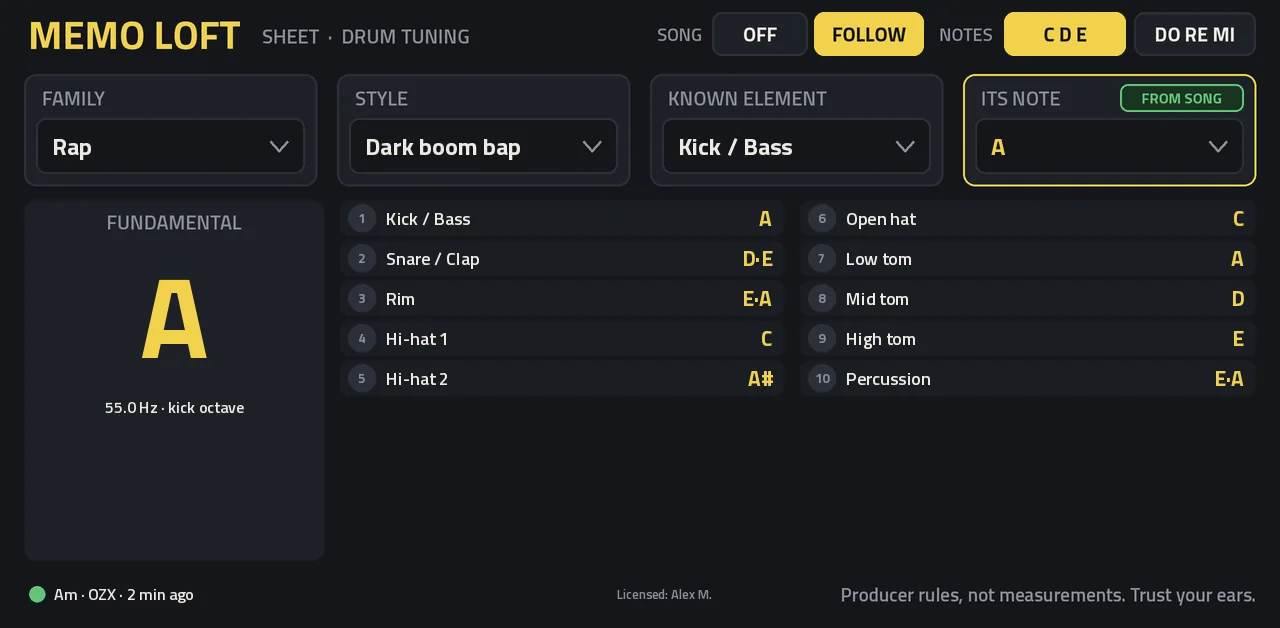
| 1 | Kick / Bass | A |
| 2 | Snare / Clap | D·E |
| 3 | Rim | E·A |
| 4 | Hi-hat 1 | C |
| 5 | Hi-hat 2 | A# |
| 6 | Open hat | C |
| 7 | Low tom | A |
| 8 | Mid tom | D |
| 9 | High tom | E |
| 10 | Percussion | E·A |
No more guessing pad by pad. You open the sheet, tune each sound to its note with the MPC's own tuning, and the kit suddenly sounds like one instrument instead of ten samples fighting each other.
“D·E” means both work in this style. Try the first, then the second, and keep the one your ear prefers.
Tune the kick to the key of your song first. Everything else on the sheet then lands inside that key — your drums stop clashing with the bass and the chords.
The second wow
The sheet that knows your song.
Switch SONG to FOLLOW. When the Studio Loft mastering plugin OZX (or the TRONX bus plugin) has listened to your track, Memo Loft reads the key it found and fills the sheet by itself: the fundamental becomes the song's root, and the kick takes that note.
- 1SONG: OFF / FOLLOW — FOLLOW reads the key of the song. OFF leaves the sheet exactly as you set it.
- 2FROM SONG — this green tag on ITS NOTE tells you the note came from the song, not from you.
- 3Am · OZX · 2 min ago — the key, which plugin heard it, and how long ago. The dot shows how sure it was: green, orange or red.
The sheet only moves when you switch FOLLOW on, when the song's key changes, or when you pick another style. Change the note or the element yourself and Memo Loft goes back to OFF — it never overwrites your choice.
Play your full loop through OZX once, then open Memo Loft: the sheet is ready before you touch a single pad. No OZX on the master? Pick the note yourself — everything else works the same.
Screen 1 · Sheet
The sheet, zone by zone
- 1SONG · OFF / FOLLOW — follow the key of your song (page 3).
- 2NOTES · C D E / DO RE MI — letter names or Do-Re-Mi, as you learned them.
- 3FAMILY — Rap, Electro, Pop, Afro, Rock, Soul, Ambient.
- 4STYLE — 77 styles; each one has its own sheet.
- 5KNOWN ELEMENT — the sound whose note you already know.
- 6ITS NOTE — that sound's note. The whole sheet is worked out from it.
- 7FUNDAMENTAL — the root note of the kit, in big.
- 8Hz · kick octave — the root as a frequency between 41 and 78 Hz, where kicks live.
- 9The sheet — every element of the style with its note; up to 18 lines on one screen.
- 10Footer — song key (when following), licence status, and a reminder: producer rules, not measurements.
This is the only page you need: keep Memo Loft on a spare track of your project and glance at it while you tune your pads on the drum track.
Hi-hats and claps have a noisy pitch: their note is a starting point. Tune, listen, and trust your ears.
Going further
When a sound can sit on two roots
- 1KNOWN ELEMENT · Snare / Clap, ITS NOTE · A# — in this style the snare is tuned either a fourth or a fifth above the root.
- 2F if fourth · D# if fifth — so there are two possible kits. Touch one: the fundamental and every line follow.
Not sure which one? Pick the root that lands closest to the kick you already have — you will retune fewer sounds.
Big kits fit on one page
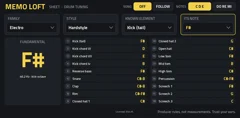
Hardstyle, kick on F#: 18 lines, from the kick tail and the reverse bass to the screeches. Two columns, no scrolling.
Screens 2 & 3 · Lists
Pick a family, then a style
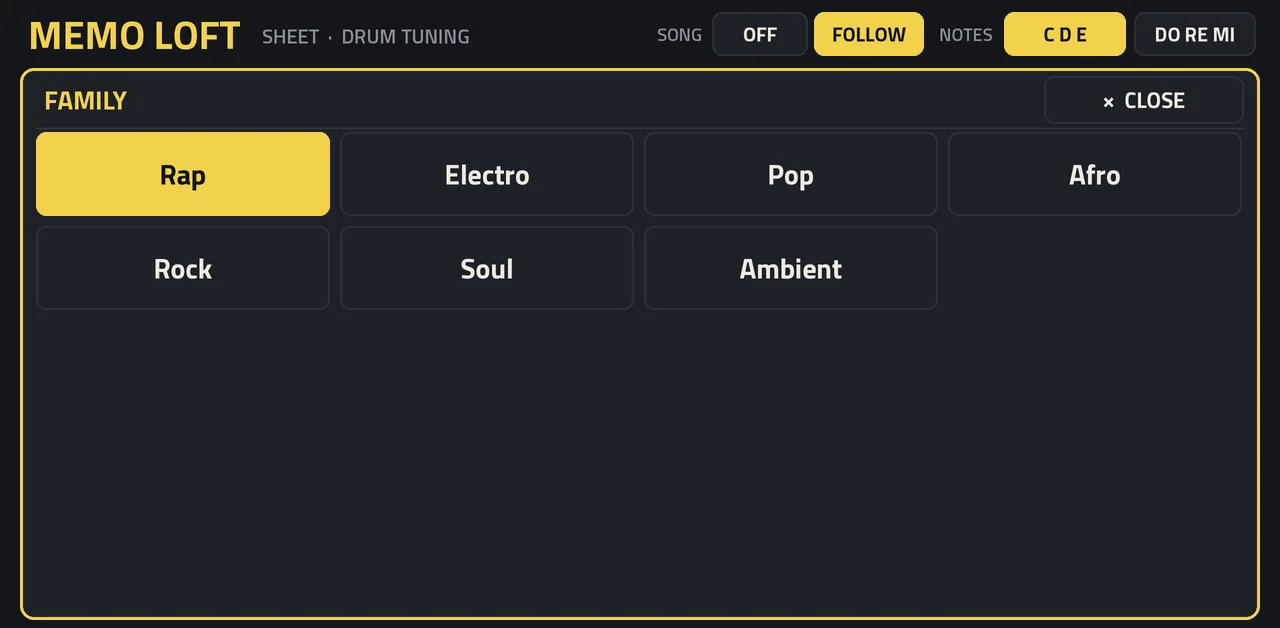
FAMILY — touch the FAMILY box to open this list. The current family is lit in yellow. Touch a name to choose it; the list closes by itself. × CLOSE leaves without changing anything.
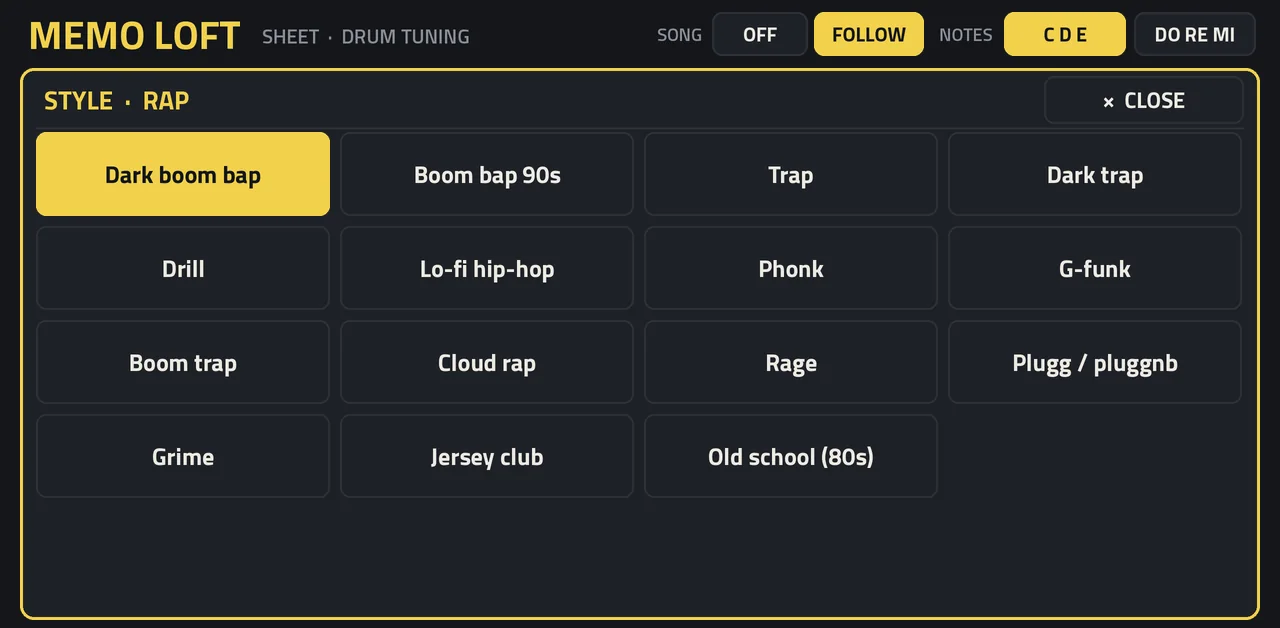
STYLE · RAP — only the styles of the current family, so the list stays short. Choosing a style shows its sheet and starts again from its first element.
Each style is also a preset (for example Rap / Dark boom bap) in the MPC preset browser: one touch and the right sheet is on screen.
Screens 4 & 5 · Lists
Say what you know
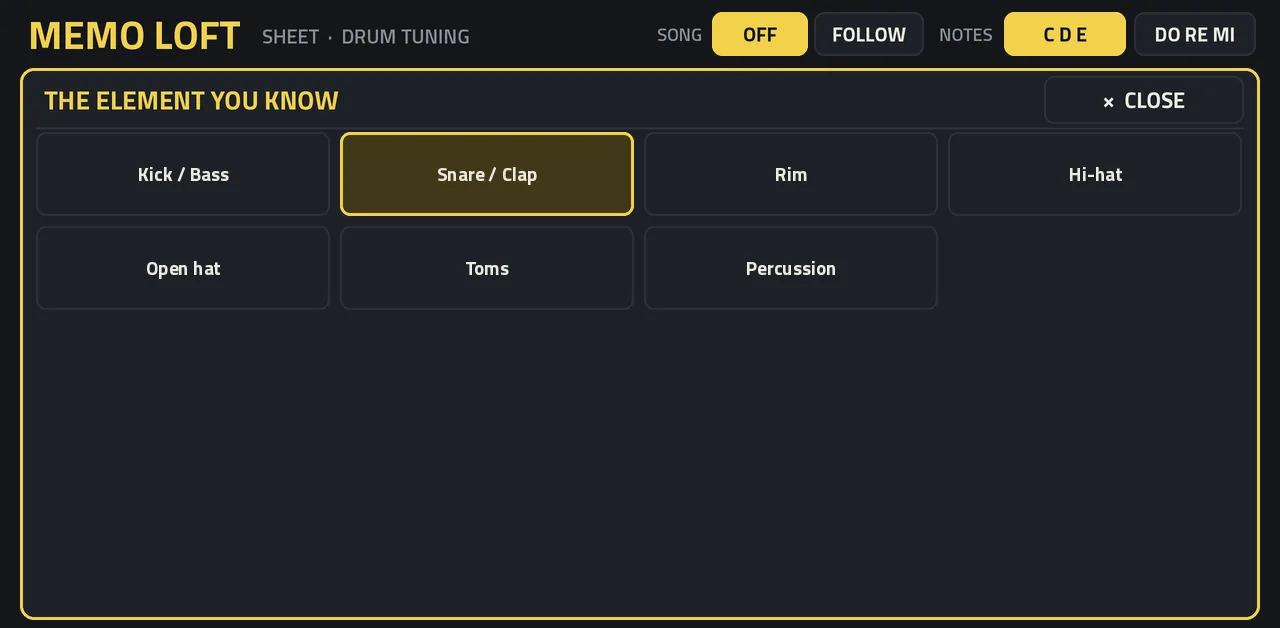
THE ELEMENT YOU KNOW — the sounds of the current style. Pick the one whose note you are sure of: usually the kick or the 808, sometimes the snare.
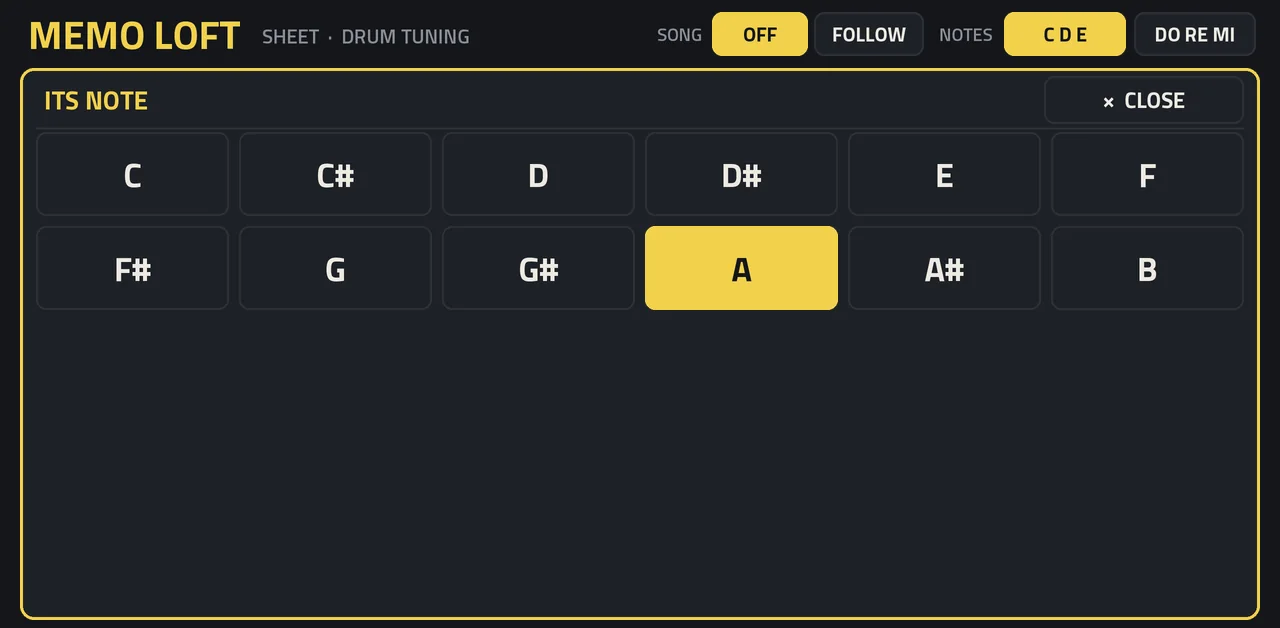
ITS NOTE — the twelve notes. With DO RE MI selected, the same list shows Do, Do#, Re… Fa, Sol, La, Si.
These two choices are the whole input. Everything else on the sheet is worked out from them.
Same kit, new song in another key? Change only ITS NOTE: the whole sheet moves with it.
Hands on the MPC
Knobs, wheel and notation
Data wheel
- Turn it on a box (FAMILY, STYLE, KNOWN ELEMENT, ITS NOTE) to step through the values.
- Click it — or touch the box — to open the list with all the names.
Q-Link knobs on this screen
Q9 chooses between the possible fundamentals when a sound can sit on two roots. In Program mode, Q-Links 1 to 8 are Family, Style, Element, Note, Fundamental, Notes, Volume and Follow Song.
C D E or Do Re Mi
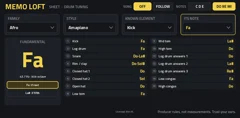
Amapiano, kick on Fa, shown in Do-Re-Mi. Log drum answers, congas and the rest follow.
Put Memo Loft on its own track and leave it there. It makes no sound, so it never touches your mix — it is just there when you need it.
Spec sheet
Memo Loft at a glance
A drum tuning memo for the MPC: pick a style and one note you know, and it shows the note of every drum in the kit.
Who it's for
- Beatmakers building their own kits in boom bap, trap or drill, where kick, 808 and snare must agree.
- Electronic producers matching kicks, basslines and toms in house, techno or drum & bass.
- Band and groove styles — funk, reggae, rock, afro — tuning a sampled kit like a real drummer would.
Strong points
- One known note gives the whole kit: kick, bass, snare, rim, hats, toms, percussion.
- Tuning habits of 77 styles, from Dark boom bap to Film score.
- Two possible roots shown when a sound can sit on either.
- Follow Song: the sheet takes the key found by OZX or TRONX.
- Letter names or Do-Re-Mi, root also given in Hz.
- No sound, nearly no CPU: leave it on a track all session.
Runs on
MPC standalone with MPC OS 3.10.1 or later, external plugins enabled. Instrument plugin, one screen, touch, data wheel and Q-Links.
Spec sheet · Presets
78 presets, one per style
In the MPC preset browser: Init, then one folder per family. Each preset opens the sheet of its style, first element on F.
Spec sheet · Get started
Up and running in 3 steps
- Install. Copy the folder Studio Loft - VST - Memo Loft into VST2 Plugins on your MPC drive. On the MPC, turn on external plugin support in Preferences, Enhancements.
- Load. On a spare track, load Memo Loft as a plugin instrument, then open its screen. Pick a preset or a style.
- Tune. Set the element you know and its note — or switch SONG to FOLLOW — then tune your pads on your drum track, line by line.
Licence
- Activation with the code of your MPC, shown on screen and in MY MPC CODE.txt.
- One purchase works on 2 MPCs. No internet needed on the MPC.
Licence & activation
Activate in two minutes
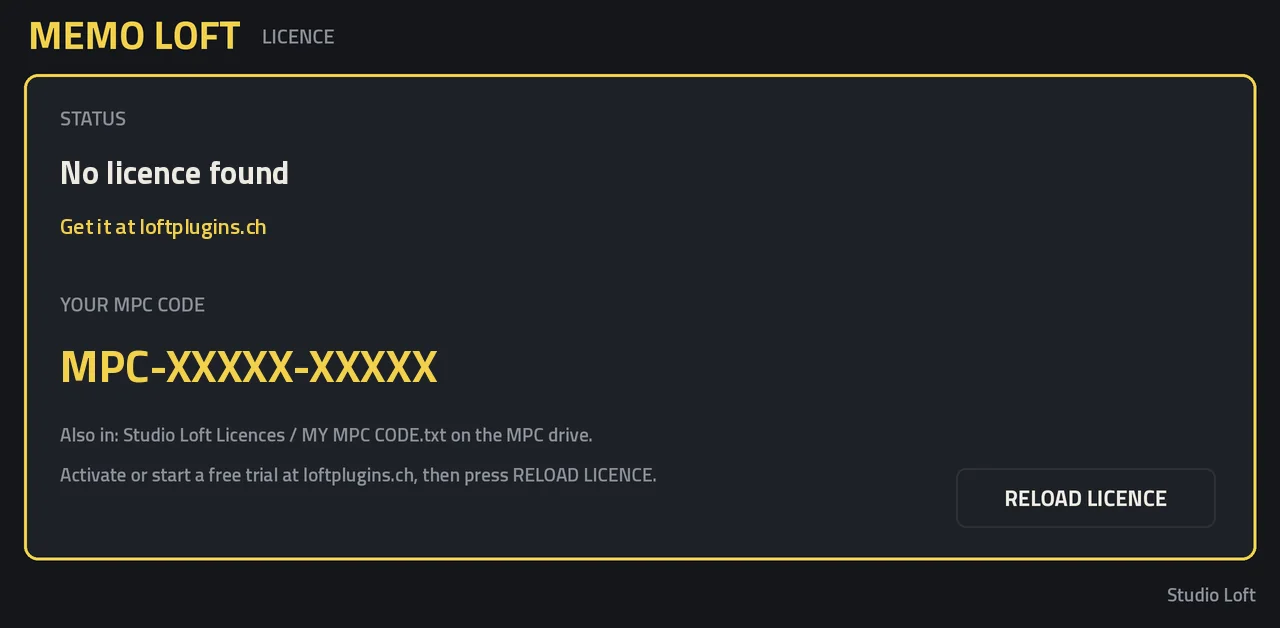
- 1Status— “No licence found”.0 h left”, “Licensed: your name”… and where to get one.
- 2YOUR MPC CODE — the code of this MPC. It is also written in the file Studio Loft Licences / MY MPC CODE.txt on the MPC drive.
- 3RELOAD LICENCE — reads the licence files again after you copied a new one.
LICENCE is always the last page (F2). Without a valid licence, the sheet is empty and a short notice on the SHEET page sends you here. With one, the sheet is back and the status is shown small at the bottom of the SHEET page.
- Connect the MPC to your computer and open MY MPC CODE.txt in the Studio Loft Licences folder.
- Paste the code on loftplugins.chYou receive a licence file.
- Copy that file into Studio Loft Licences on the MPC drive, open Memo Loft and press RELOAD LICENCE.
One purchase works on 2 MPCs. Everything is checked on the MPC itself: no internet needed.
MEMO LOFT
Know one note. Tune the whole kit.
Studio Loft — loftplugins.ch
Version 1.3.0
Lizenz & Aktivierung
In drei Schritten deins.
Kaufen
Einmal auf dieser Seite zahlen. Dein persönlicher Link kommt per E-Mail und bleibt gültig.
Loft Hub installieren
MPC OS 3.10.1 oder neuer, mit aktivierten Enhancements und External Plugin Support in den Preferences. Kopiere Loft Hub einmal auf das MPC-Laufwerk.
Verbinden und spielen
In Loft Hub akzeptieren, MPC verbinden, und deine Plugins installieren sich von selbst. Funktioniert auf zwei MPC. Das war's.
Deins
Memo Loft
Stimm-Notizen für Drums in 77 Stilen, auf einer Spur.
Memo Loft gibt es nicht einzeln: Es ist im Complete-Paket und im Ultimate Bundle enthalten.