Effect · versión 1.5.0
Amplix Loft
THE OVERBOOSTED DRIVE PEDAL FOR YOUR MPC. PLUG IN A GUITAR, PRESS LISTEN, AND PLAY.
Most pedals give you knobs and leave you guessing. Amplix listens to what you play and tells you, in plain words, what to change. One move at a time, and you can always undo it.
El manual
Cada pantalla,
página a página.
La guía completa, pantalla por pantalla, igual que en la MPC. Los nombres de los ajustes se quedan en inglés, como en la pantalla.
What makes it different
Your tone, fixed in 12 seconds.
Most pedals give you knobs and leave you guessing. Amplix listens to what you play and tells you, in plain words, what to change. One move at a time, and you can always undo it.
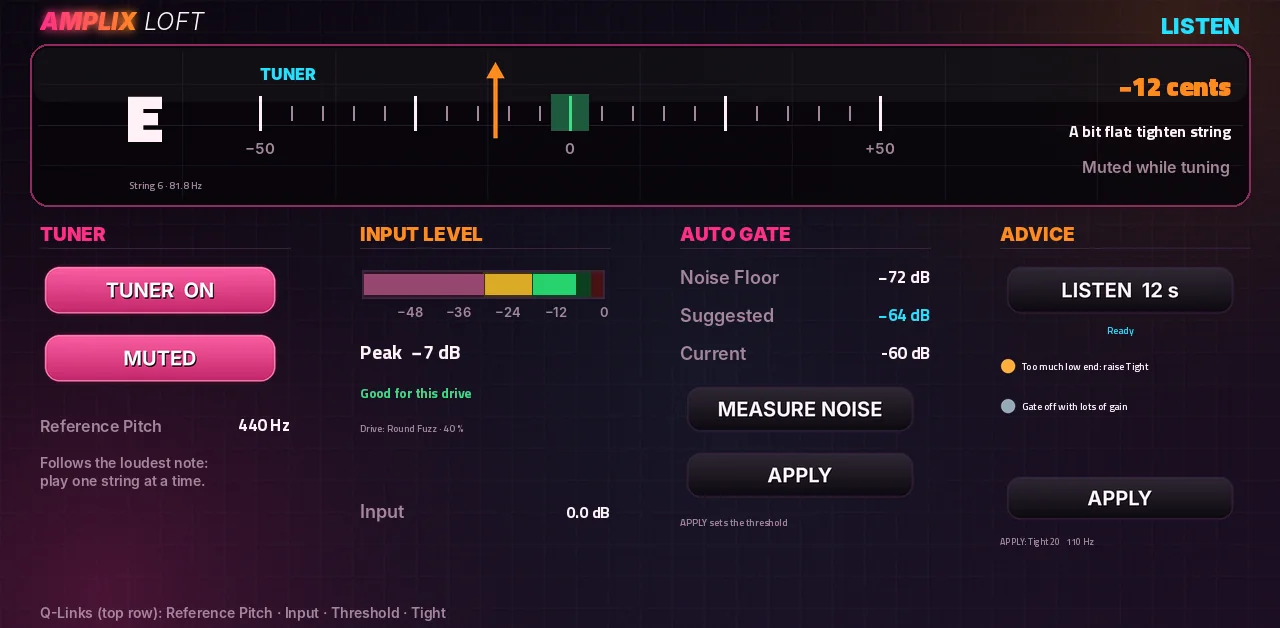
TUNER ON, MUTE on. Big note, needle, A bit flat: tighten string.
MEASURE NOISE, hands off the strings for 3 s. APPLY sets the gate threshold.
Press LISTEN and play your part for 12 s.
Read the advice, press APPLY. Not convinced? Press again: undone.
A real example
Preset BLUES · Delta Dirt, a palm-muted riff on the low strings. After 12 seconds the ADVICE column shows:
One press on APPLY moves Tight from 20 to 110 Hz: the lows that blurred the riff are cut before the drive, and the palm mutes tighten up.
It also spots clipping, an input too weak for a heavy drive, harsh highs, ringing around a frequency that is not one of your notes, DC offset and a mono input in stereo mode.
One pedalboard, one page each
A full rig in one plugin.
From a clean shimmer to a wall of fuzz, Amplix chains everything a guitar sound needs, in the order a guitarist expects.
EQ and modulation can also go Pre, before the drive: push the mids into the distortion, or put an envelope wah where it belongs. The noise gate listens to your input but closes after the cab, so delay and reverb tails keep ringing.
See what you hear
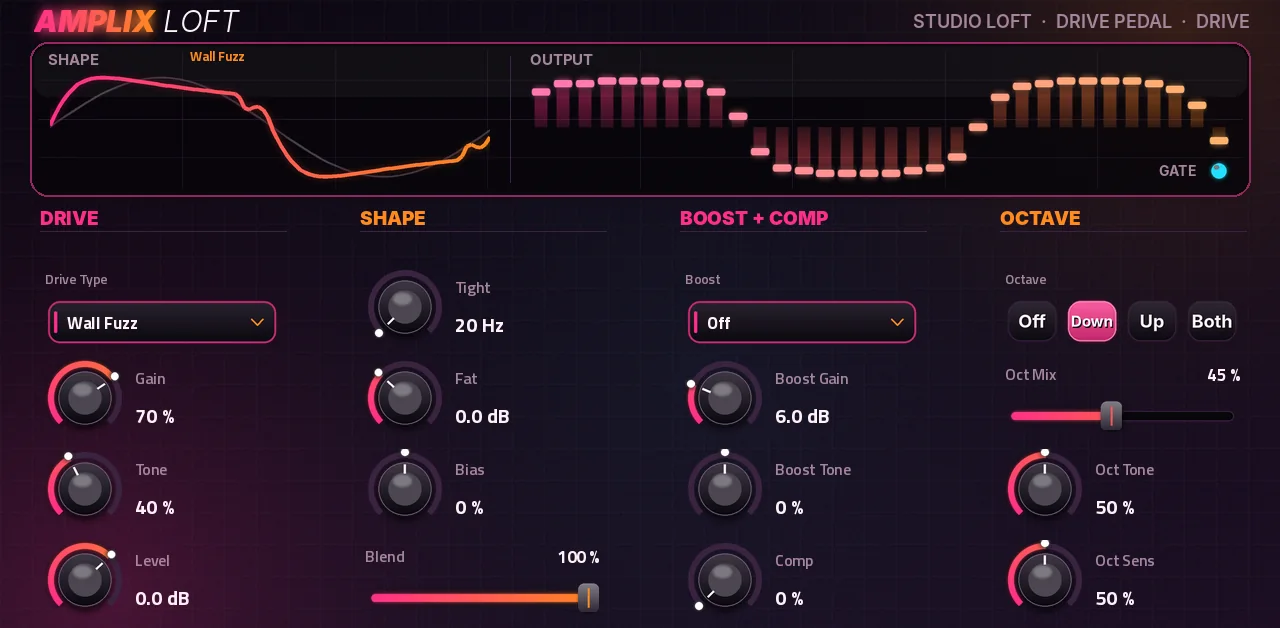
Every page opens on a glass window: the output curve, drawn live while you play, and on the DRIVE page the shape of the drive you picked: soft for an overdrive, a wall for a fuzz, folds for Wavefold.
Not just for guitar: bass (with Blend to keep the low end), synths, vocals and drum loops all have their own presets.
Before you start
How Amplix is laid out.
Six keys, eight screens
| F1 | PEDAL · 2nd press LISTEN |
| F2 | DRIVE |
| F3 | AMP |
| F4 | EQ |
| F5 | MOVE |
| F6 | SPACE · 2nd press LICENCE (last page) |
Four columns, four Q-Links
Each main page has four columns of four controls. The 16 Q-Link knobs follow them: one Q-Link column per screen column, top knob for the top control. Touch any control on the screen to adjust it there.
Lists
Controls with many choices (Drive Type, Amp, Cab, Mod, Delay, Reverb, the sync values…) open a full-page list when you touch them. The current choice lights up. Touch another one, or × CLOSE.
Controls with two to four choices (Octave, Mic, Gate, In Mode…) are buttons with their names on them.
Presets
126 presets, named by category: CLEAN, BLUES, ROCK, METAL, FUZZ, STONER, INDIE, FUNK, LOFI, LEAD, BASS, SYNTH, DRUMS, VOX, FX, plus INIT. They are also on the drive as files, one per preset, numbered in the same order.
 F1 · PEDALF1 · 2nd press · LISTENF2 · DRIVE
 F3 · AMP
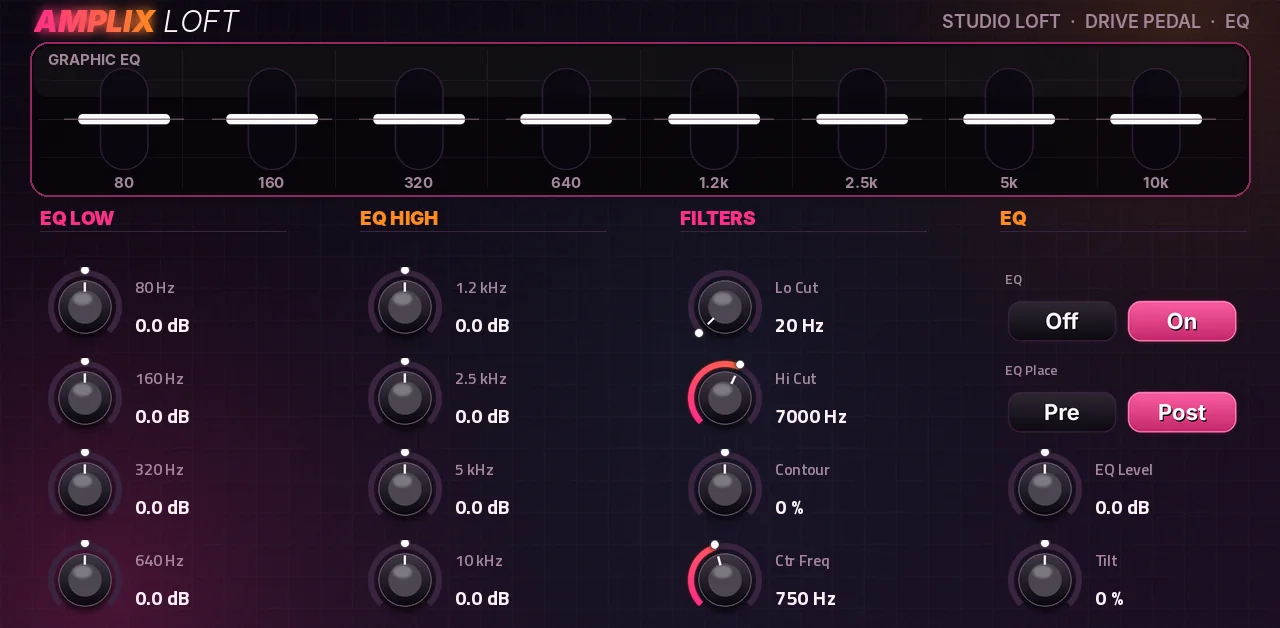 F4 · EQ
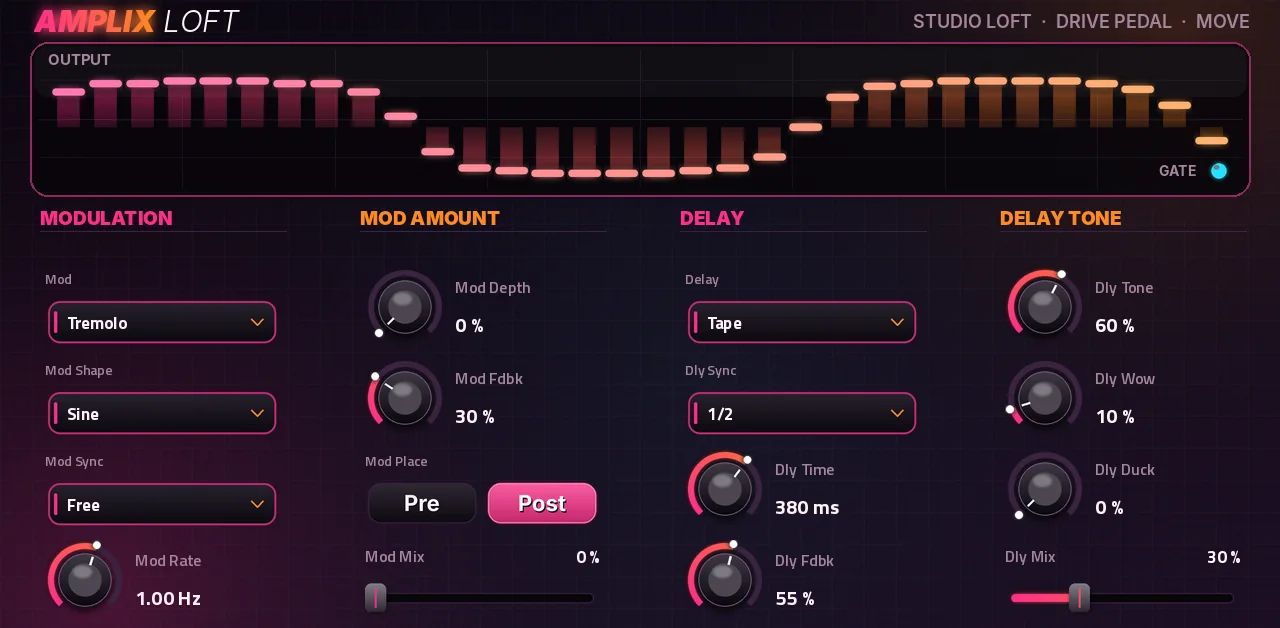 F5 · MOVE
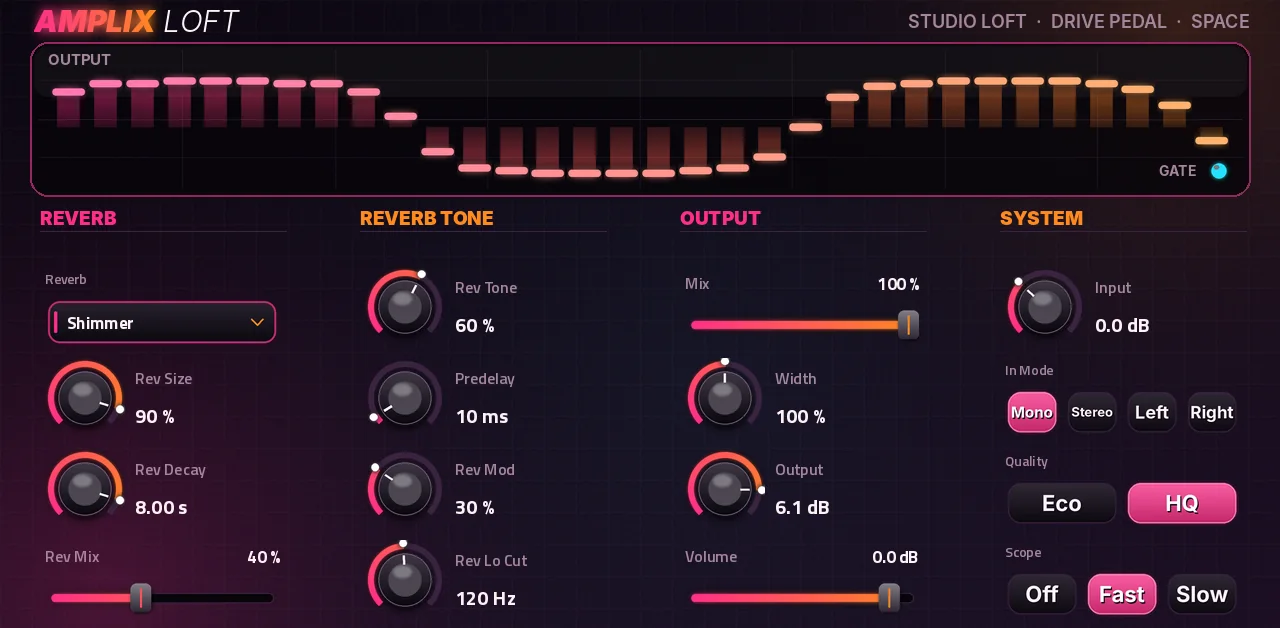 F6 · SPACE
Tip
Presets are balanced in loudness, so switching between them is a fair comparison. The master Volume is never changed by a preset: set it once for your track.
Screen
PEDAL
What it's for
Your home page: the 16 controls you reach for most, from distortion to echo. Pick a preset, then fine-tune here without changing pages.
Tip
Start from a preset in the right category, then work left to right: Gain for how hard it breaks up, Tone for bite, Rev Mix for the room. On high-gain sounds, set Threshold just above the hiss (around −55 dB).
Screen
LISTEN
What it's for
Before you record: tune, check your level, kill the hiss, and let Amplix tell you what to fix. Press F1 twice to get here.
Tip
Tune with MUTE on, keep your hands off the strings for MEASURE NOISE, then press LISTEN and play the part you are about to record, not random noodling. The advice is about that sound.
Screen
DRIVE
What it's for
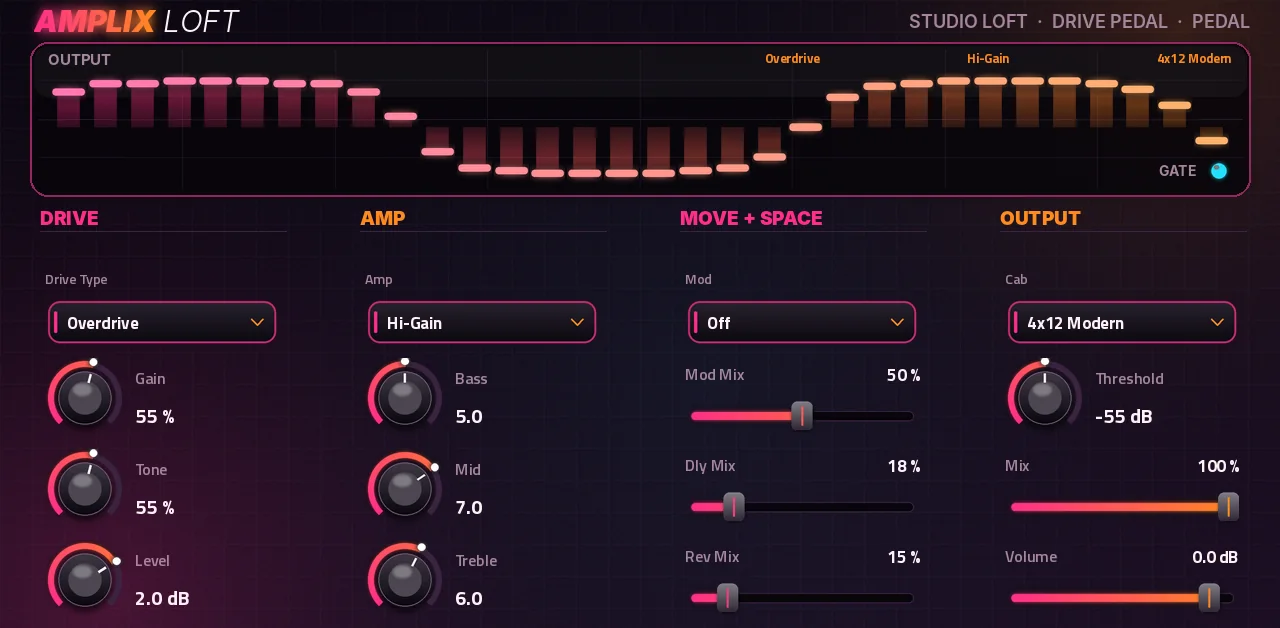
Everything that happens before the amp: what kind of dirt, how much, and how it reacts to your playing.
Tip
For tight metal rhythm, raise Tight to 100–150 Hz and push a Mid boost into the drive: palm mutes chug instead of booming. On bass, keep Blend around 50–60 % so the low end stays clean under the grit.
Screen
AMP
What it's for
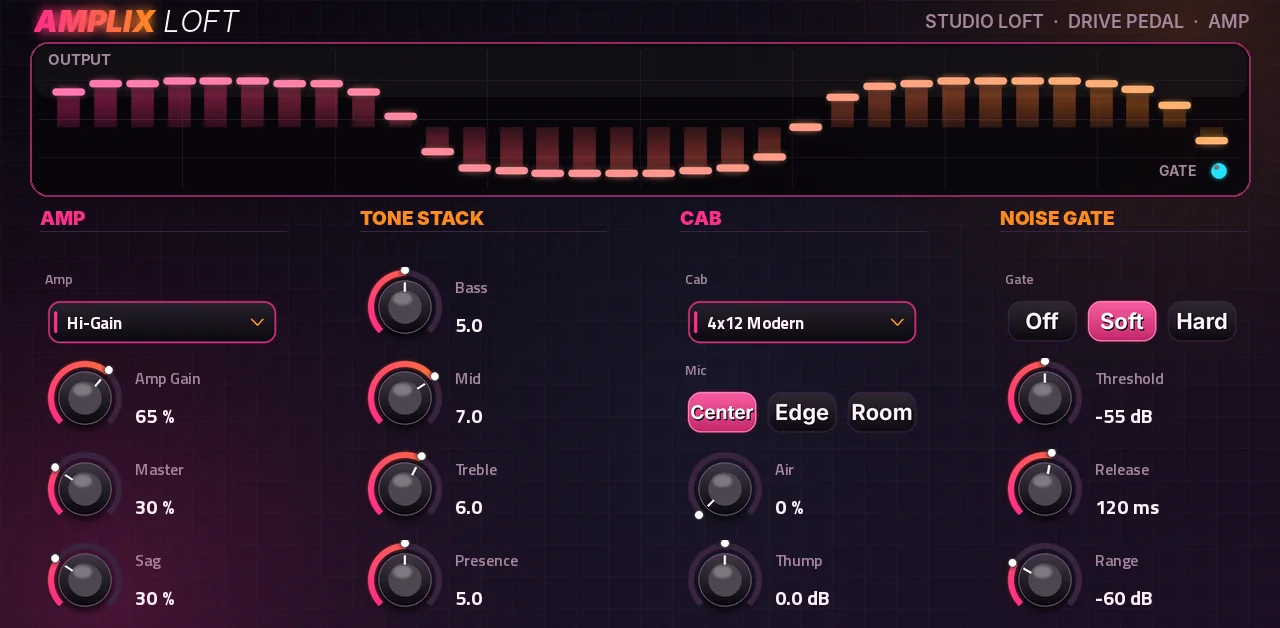
Turn the pedal sound into an amp in a room: preamp character, cabinet, microphone and the gate that keeps silences silent.
Tip
Edge is darker and rounder than Center. Add 15–20 % Air to put a mono guitar in a stereo room. Hard gate with a short Release for staccato riffs, Soft for leads that must ring.
Screen
EQ
What it's for
Fix the tone after the amp, or sculpt what goes into the drive.
Tip
In Pre, a push around 640 Hz–1.2 kHz makes the drive bite harder. In Post, cut 2.5–5 kHz if it fizzes and pull Hi Cut down to 6–8 kHz to sit behind a vocal.
Screen
MOVE
What it's for
Movement and echoes, in time with your beat: when the MPC plays, synced modulation and delays follow the song.
Tip
Auto-Wah with Mod Shape on Env and Mod Place on Pre gives a touch wah: dig in and it opens. Turn up Dly Duck so long echoes hide while you play and bloom in the gaps.
Screen
SPACE
What it's for
The space around the sound, the final level, and the settings that matter for your MPC's processor.
Tip
In Mode Mono is the right choice for a guitar and halves the work for the processor. Running several instances? Set Quality to Eco. A little Predelay and some Rev Lo Cut keep a big Hall from blurring the riff.
The lists
Every choice, at a glance.
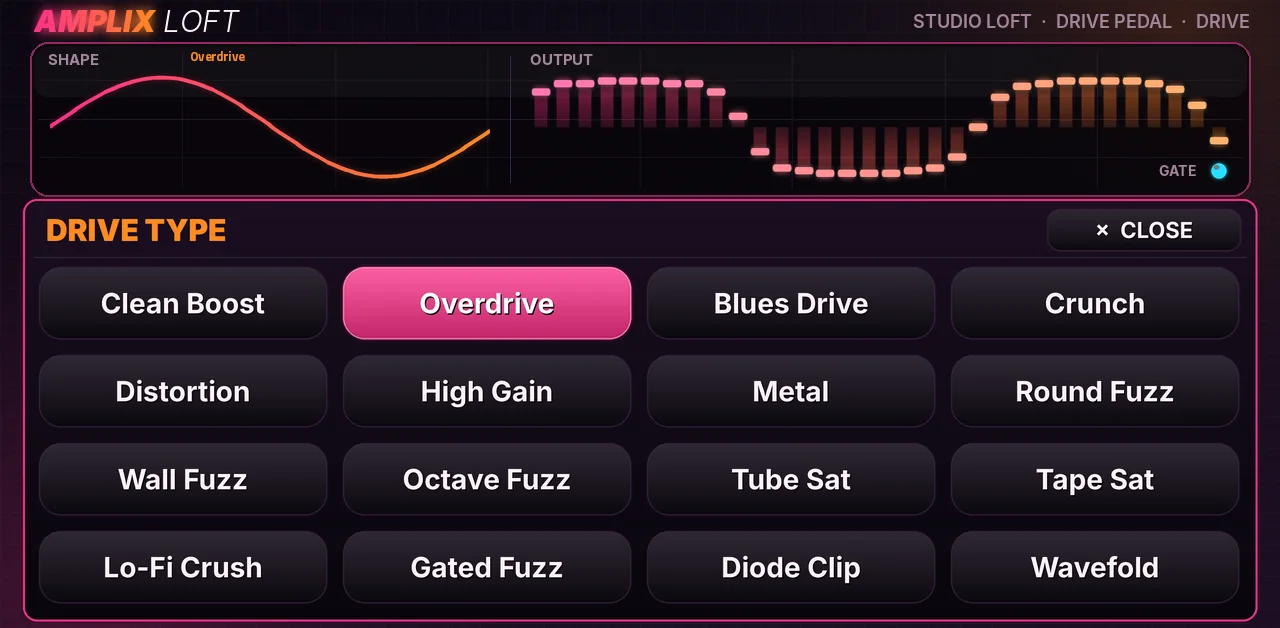
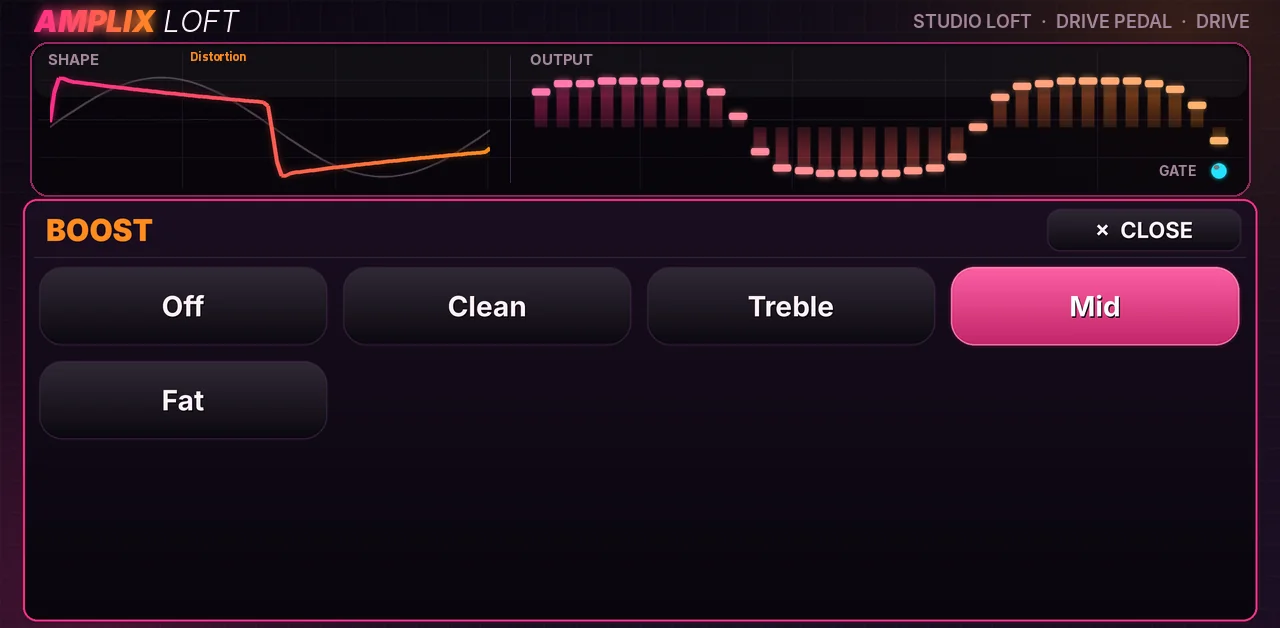
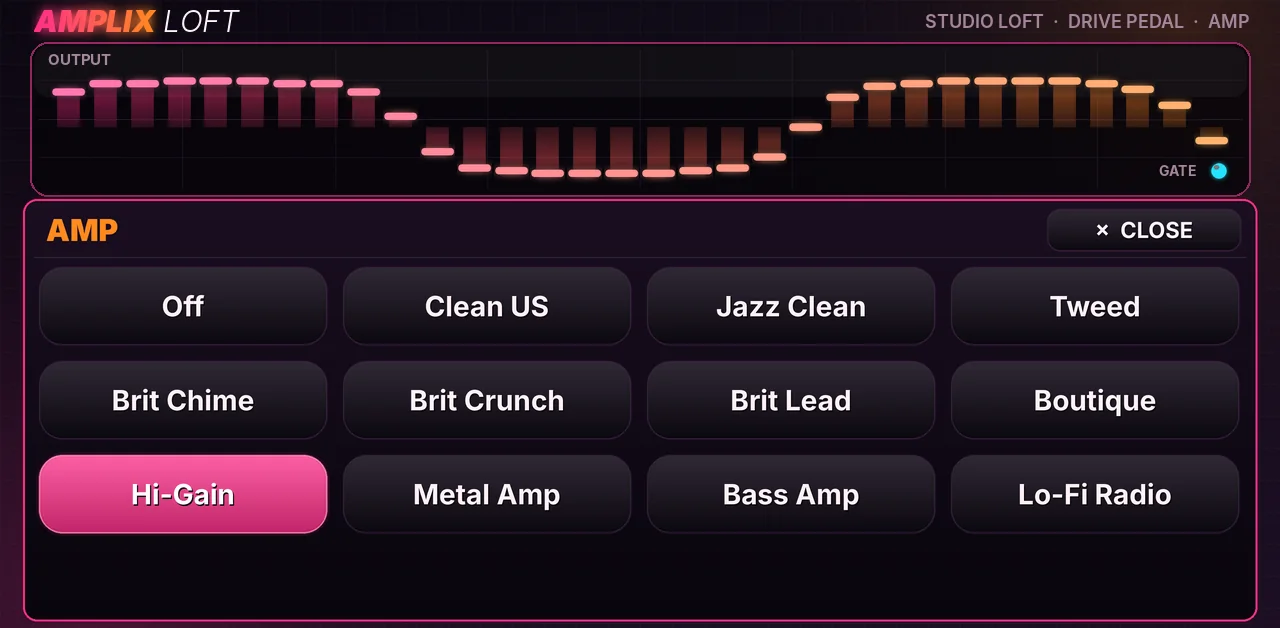
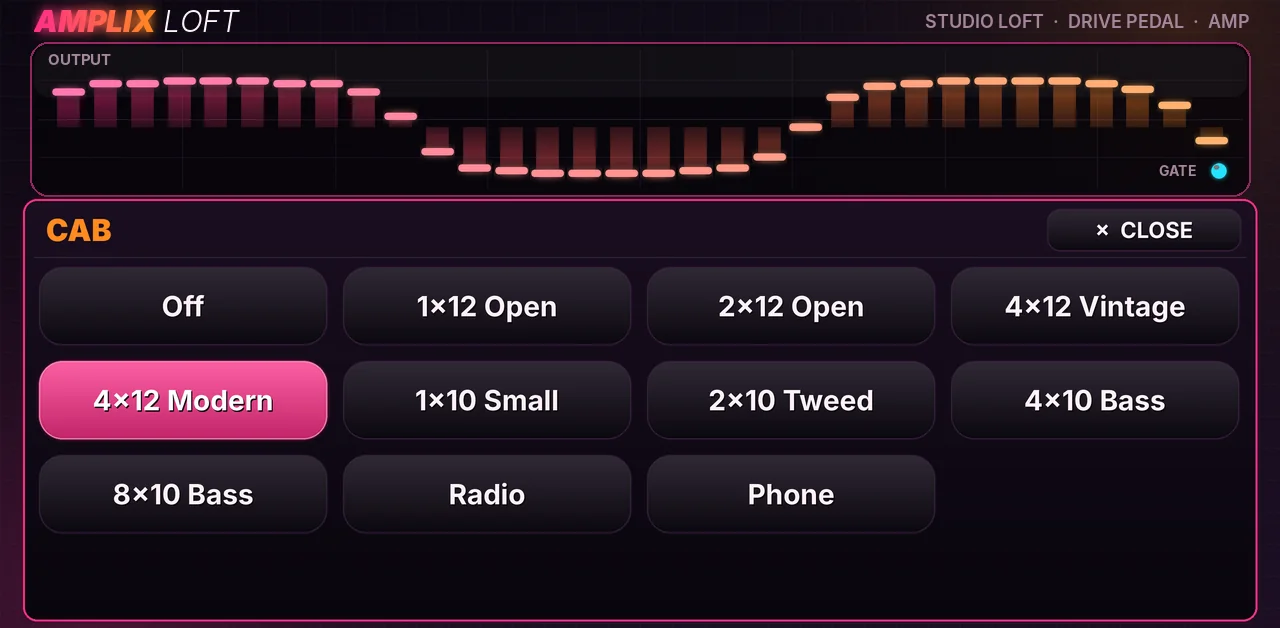
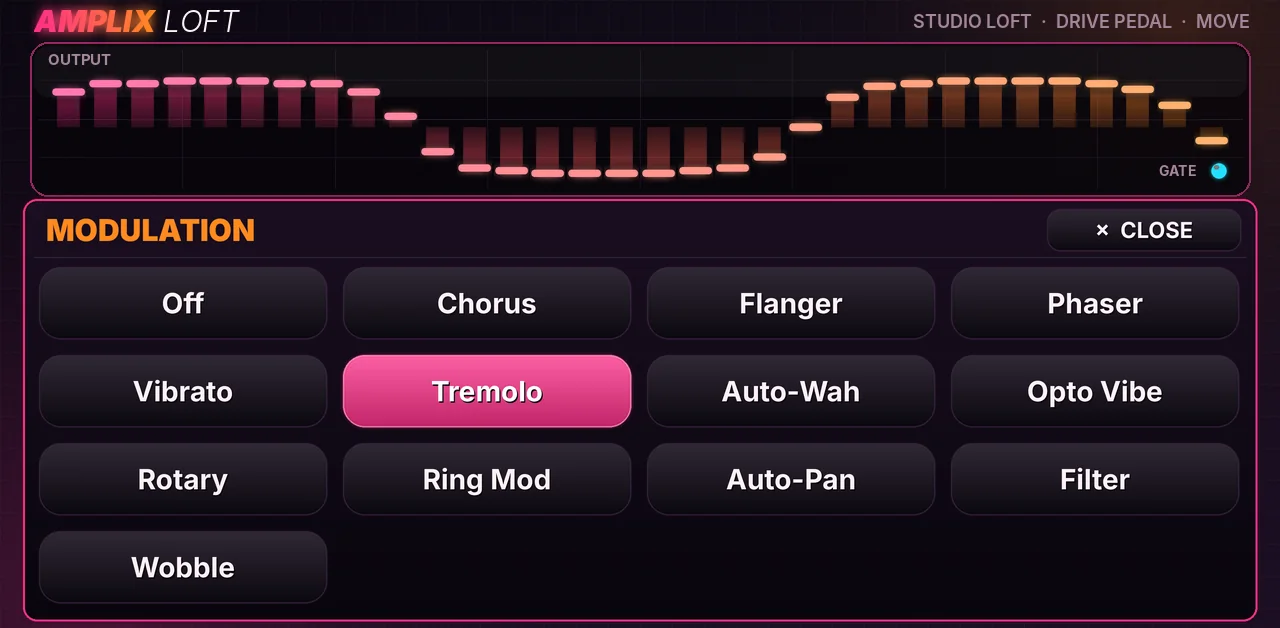
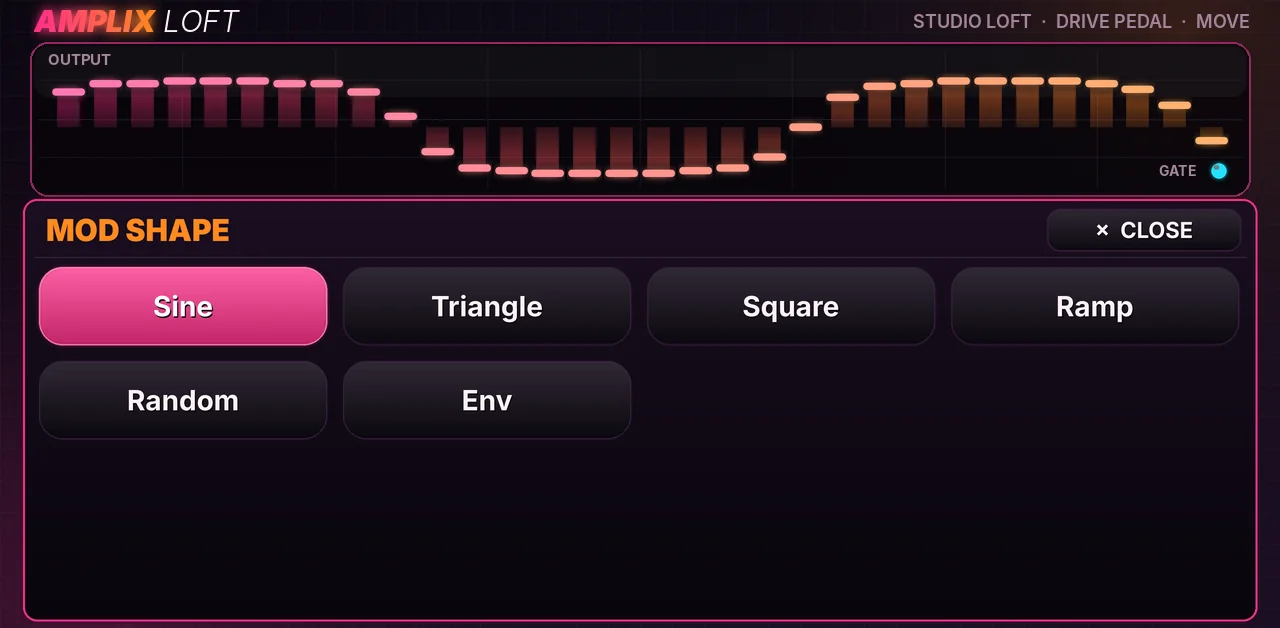
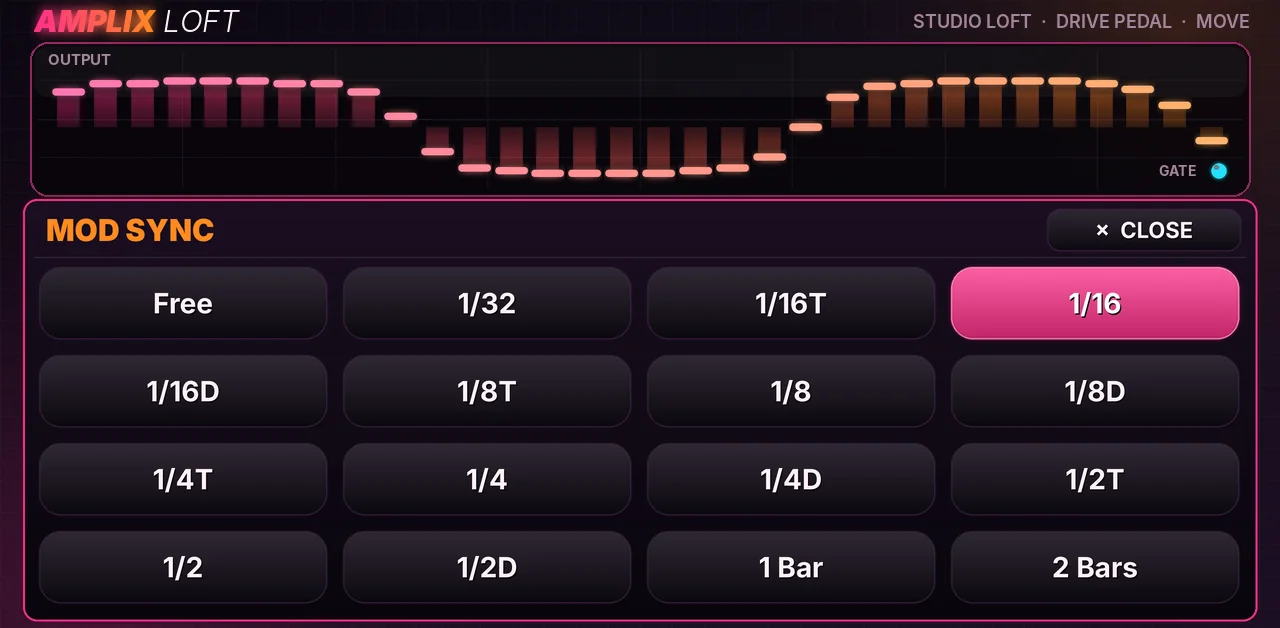
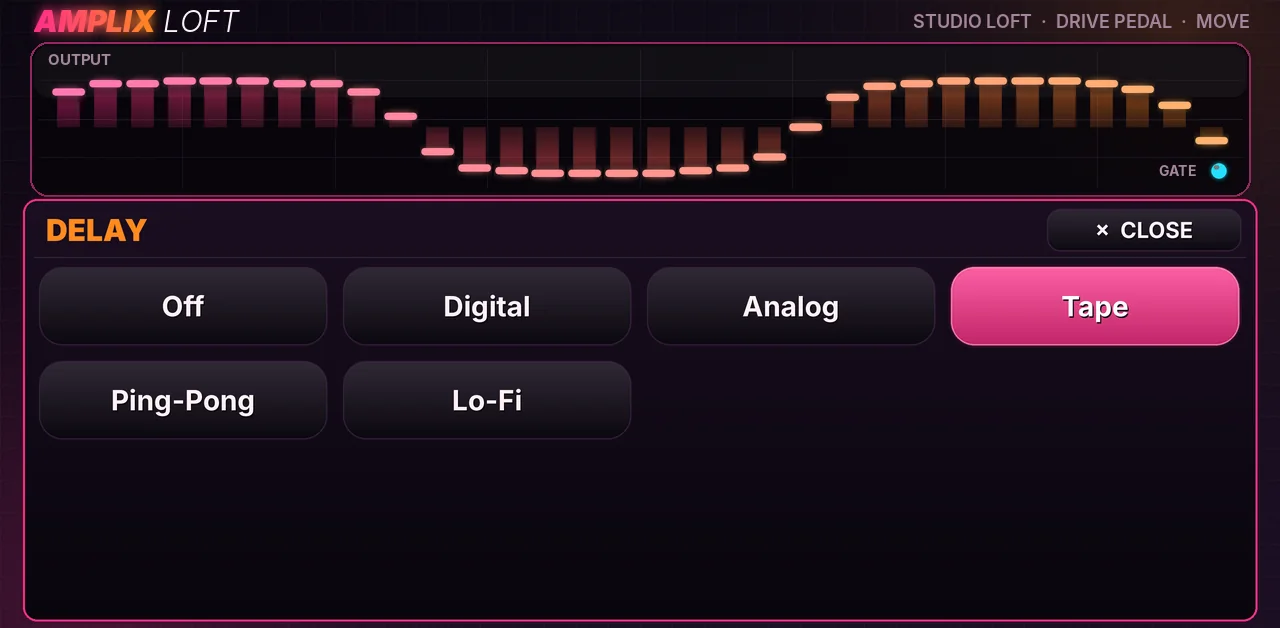
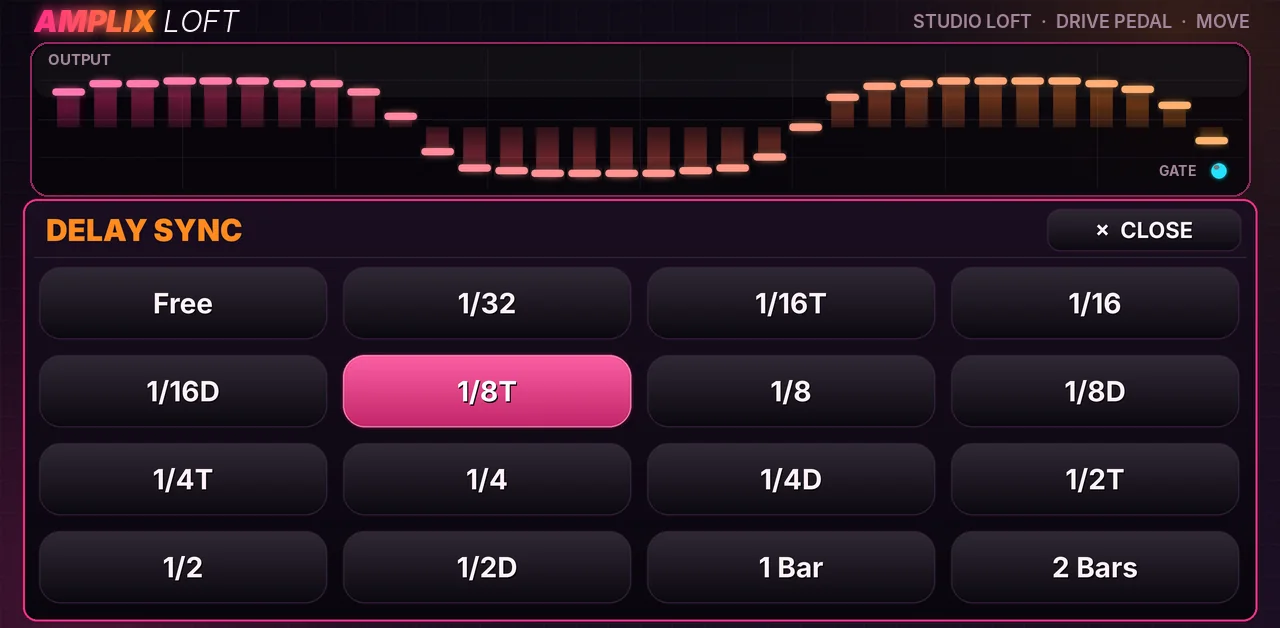
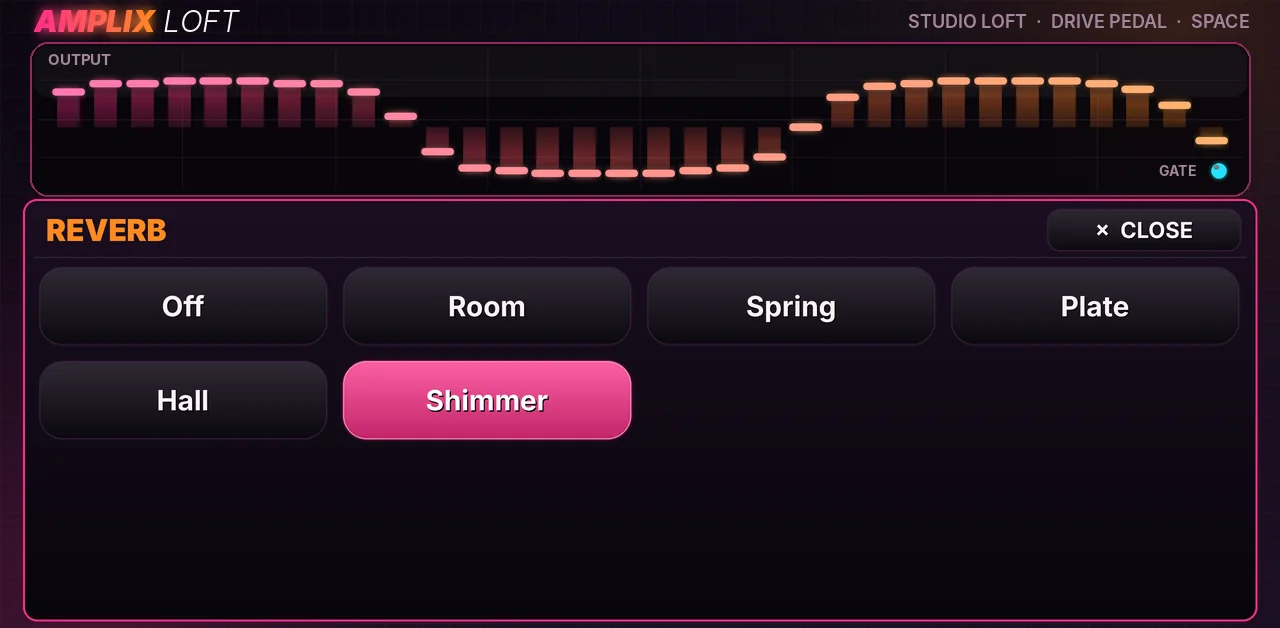
Two to four choices
Octave, Mic, Gate, EQ, EQ Place, Mod Place, In Mode, Quality and Scope don't need a list: their choices are buttons, names written on them. One touch and it's set.
Tip
The list closes as soon as you pick. To compare two amps or cabs quickly, turn the Q-Link of that control instead: the sound changes as you turn, no list needed.
Specifications
Amplix Loft at a glance.
A complete guitar rig for MPC standalone: drives, amps, cabs, gate, EQ, modulation, delay and reverb, with a Listen page that tunes, measures and advises.
For
- Guitarists recording straight into the MPC: blues, rock, metal, stoner, funk.
- Beatmakers who want dirty bass, crushed drum loops and lo-fi textures.
- Producers who put amp, cab and tape echoes on synths and vocals.
Strong points
- The Listen page: tuner with mute, input level for the chosen drive, auto gate, and advice with one-press APPLY / UNDO.
- 16 drives with Tight, Fat, Bias and Blend, plus boost, sustain and octave before them.
- Live output curve on every page and the drive's shape on the DRIVE page.
- Modulation and delay locked to the MPC: 1/32 to 2 bars, triplets and dotted values.
- HQ mode with up to 4x oversampling for heavy drives, or Eco to save processor.
- 126 presets balanced in loudness, from clean to drums and vocals.
Numbers
| Presets | 126 in 16 categories |
| Drives · Amps · Cabs | 16 · 11 · 10 |
| Effects | 12 modulations, 5 delays, 5 reverbs, 8-band EQ |
| Screens | 8, plus 10 lists |
| Controls | about 150, 16 Q-Links per page |
| Audio | stereo in / out, no added latency |
| Size | about 18 MB on the drive |
| Runs on | MPC standalone, MPC OS 3.10.1 or later |
Get started in 3 steps
Copy the folder Studio Loft - VST - Amplix Loft into VST2 Plugins on a drive of your MPC. In Preferences › Enhancements, turn on enhancements and external plugin support.
Insert Amplix Loft as an effect on the track or input you play through, and pick a preset.
Plug in, play, and turn the Q-Links. Press F1 twice for LISTEN: tune, measure the noise, ask for advice.
The presets
126 starting points.
Jazz Box
Funky Spank
Chorus Shine
Surf Spring
Ambient Swell
Country Snap
Tremolo Noir
Chicago Edge
Green Drive
Slow Burn
Keys Bar
Mojo Crunch
Harp Mic
Boutique Sing
Sweet Lead
Delta Dirt
Chime Riff
Classic 70s
Arena Lead
Hard 80s
Garage Grit
Power Trio
Grunge 90s
Alt Crunch
Southern
Stadium Wide
Punk Buzz
Djent Clank
Doom Wall
Modern Rect
Swedish Saw
Nu Drop
Black Frost
Metalcore
Shred Lead
Sludge
Industrial
Deathcore
Wall of Fuzz
Octave Glow
Zipper Sputter
Bent Tone
Fuzz Wah
Germanium Warm
Fuzz Vibe
Horn Head
Buzzsaw
Iron Low
Fuzz Riff
Doom Drone
Octave Sludge
Space Rock
Bass Fuzz Riff
Tube Smoke
Shoegaze Wall
Lo-Fi Bedroom
Math Clean
Post Rock
Garage Fuzz
Dream Pop
Surf Noir
Vibe Machine
Envelope Q
Chicken Pick
P-Funk Phase
Disco Chop
Talk Box
Neo Soul
Radio Ghost
Bitcrush Keys
Dusty Sample
Phone Line
Vinyl Warmth
8-Bit Dream
Chill Hop
Violin Swell
Tape Echo Lead
Octave Up Solo
Fusion Silk
80s Shred
Pitch Scream
Blues Rock Lead
Grind Blend
Fuzz Bass
Synth Octave
Soul Warm
Rock Pick
Dub Sub
Metal Bass
Envelope Funk
808 Crunch
Fold Growl
Acid Squelch
Pad Shimmer
Bit Lead
Ring Bell
Detune Grit
Boom Bap Dirt
Lo-Fi Break
Industrial Hit
Grit Vocal
Radio Voice
Robot Ring
Infinite Swell
Helicopter
Underwater
Glitch Crusher
Rotary Organ
Dub Siren
Reverse Space
Screen
LICENCE
What it's for
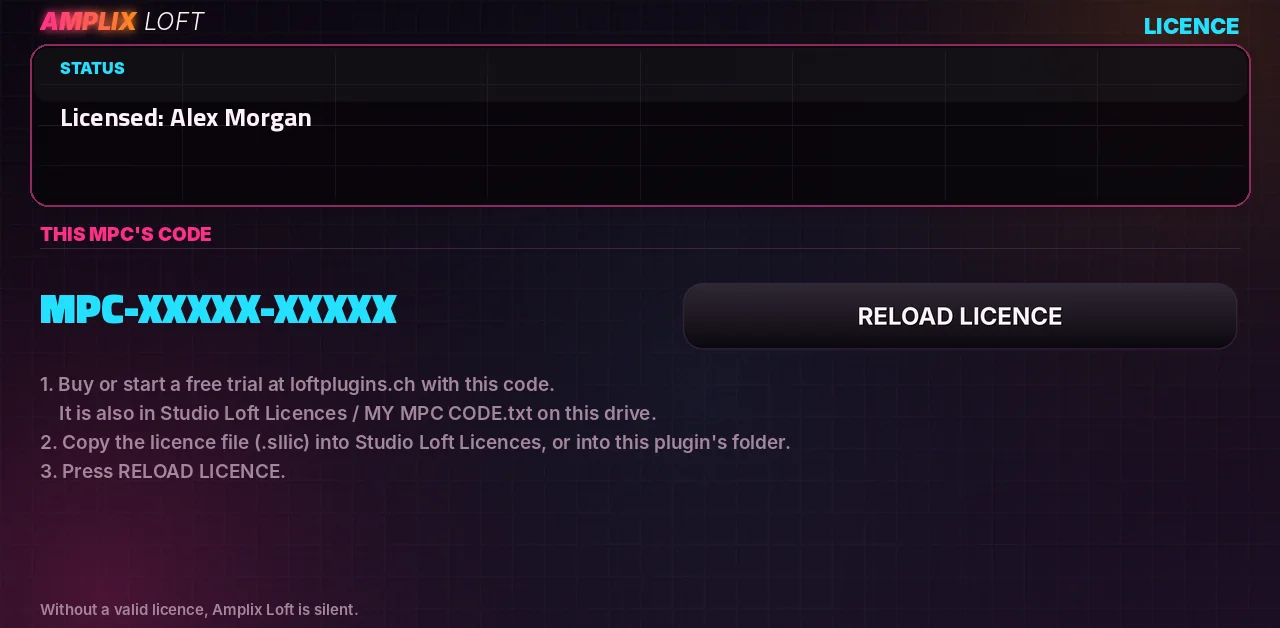
Activation in one minute, without typing anything on the MPC. It's the very last page (F6, 2nd press). Without a valid licence Amplix Loft stays silent and an orange line at the top of every main page says where to go, for example No licence: see LICENCE (F6); it disappears once the licence is valid.
Tip
Put your MPC in computer mode, open MY MPC CODE.txt from your computer and paste the code on the site: no copying from the screen.
Licence and activation
Yours in one minute.
Buy it once
Buy Amplix Loft on loftplugins.ch: your licence arrives by e-mail, then you copy it to your MPC's drive.
One purchase, two MPCs
Your licence works on up to 2 MPCs, with no time limit, and no internet connection is ever needed.
Activation
Your MPC's code is on the LICENCE page (F6, 2nd press, the last page) and in Studio Loft Licences / MY MPC CODE.txt on the drive. Enter it on the site, copy the .sllic file you receive into Studio Loft Licences (or into the plugin's folder) and press RELOAD LICENCE. Without a valid licence Amplix Loft is silent.
No sound? Look at the top of the screen: when Amplix has no valid licence, an orange line tells you why and where to go. With a valid licence the line is gone.

Licencia y activación
Tuyo en tres pasos.
Compra
Paga una vez en este sitio. Tu enlace personal llega por e-mail y sigue siendo válido.
Instala Loft Hub
MPC OS 3.10.1 o posterior, con Enhancements y External Plugin Support activados en Preferences. Copia Loft Hub una vez al disco de tu MPC.
Vincula y toca
En Loft Hub, acepta, vincula tu MPC y tus plugins se instalan solos. Funciona en dos MPC. Y ya está.
Tuyo
Amplix Loft
Un pedal de drive sobrealimentado: 16 drives, 11 amplis.
Un solo pago, tuyo para siempre. Tu licencia funciona en dos MPC.