インストゥルメント · ヴィンテージ鍵盤、シンセ、テクスチャー · バージョン 1.1.1
Vermeil Loft
ふたつ重ねて、古びさせて、弾く。
フェルト・ピアノ、エレピ、アナログ風シンセ、ひとりでに動くパッド。ふたつのエンジンを片手で弾き、音全体をテープ、カセット、レコード、ラジオ、VHS、SP盤に通します。MOOD、MOVEMENT、SPACEの3つの大きなノブがほとんどの仕事をこなします。
フェルト・ピアノのメロディーの後ろで合唱がふくらむ:片手でふたつのエンジンを重ねて。
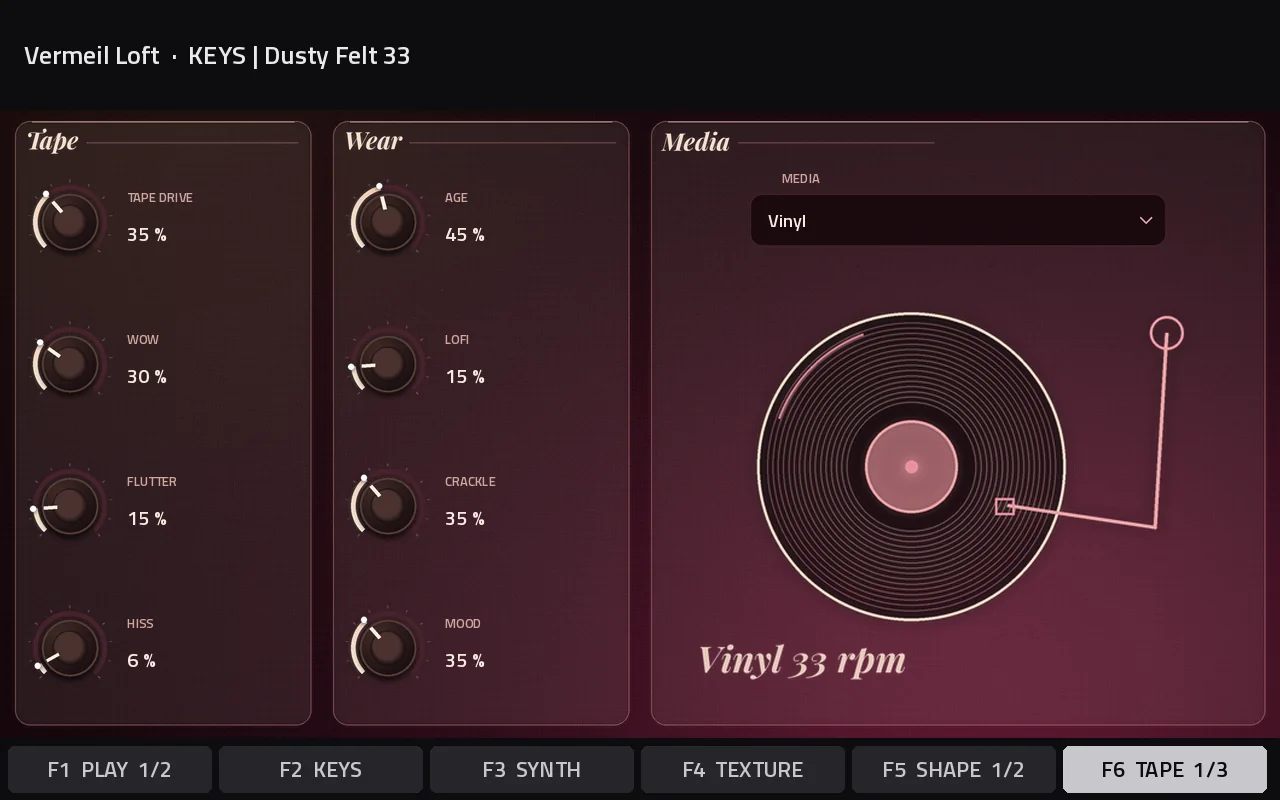
MEDIA
同じコード、6つの過去。
MEDIAは、固有の音色、揺れ、ノイズを持つメディアに音全体を通します。仕上げはAge、Wow、Flutter、Crackleで。
- テープ暖かく、まとまり、高域が少し柔らか。
- カセット揺れが前に出る。
- レコードパチパチ音とレコードのゆっくりした揺れ。
- ラジオ狭く、遠い。
- VHSホームビデオの疲れた音色。
- SP盤高域が落ち、過去が支配する。
マニュアル
すべての画面を、
ページごとに。
MPCの画面そのままに、一画面ずつ解説した完全ガイド。設定名は画面どおり英語のままです。
THE BIG IDEA
Two instruments. One touch.
Pick a piano as MAIN. Add a choir as LAYER. Now every key you press plays both: the felt hammer first, then the voices swelling in behind. Up to 10 notes for the main sound, 6 more for the layer.
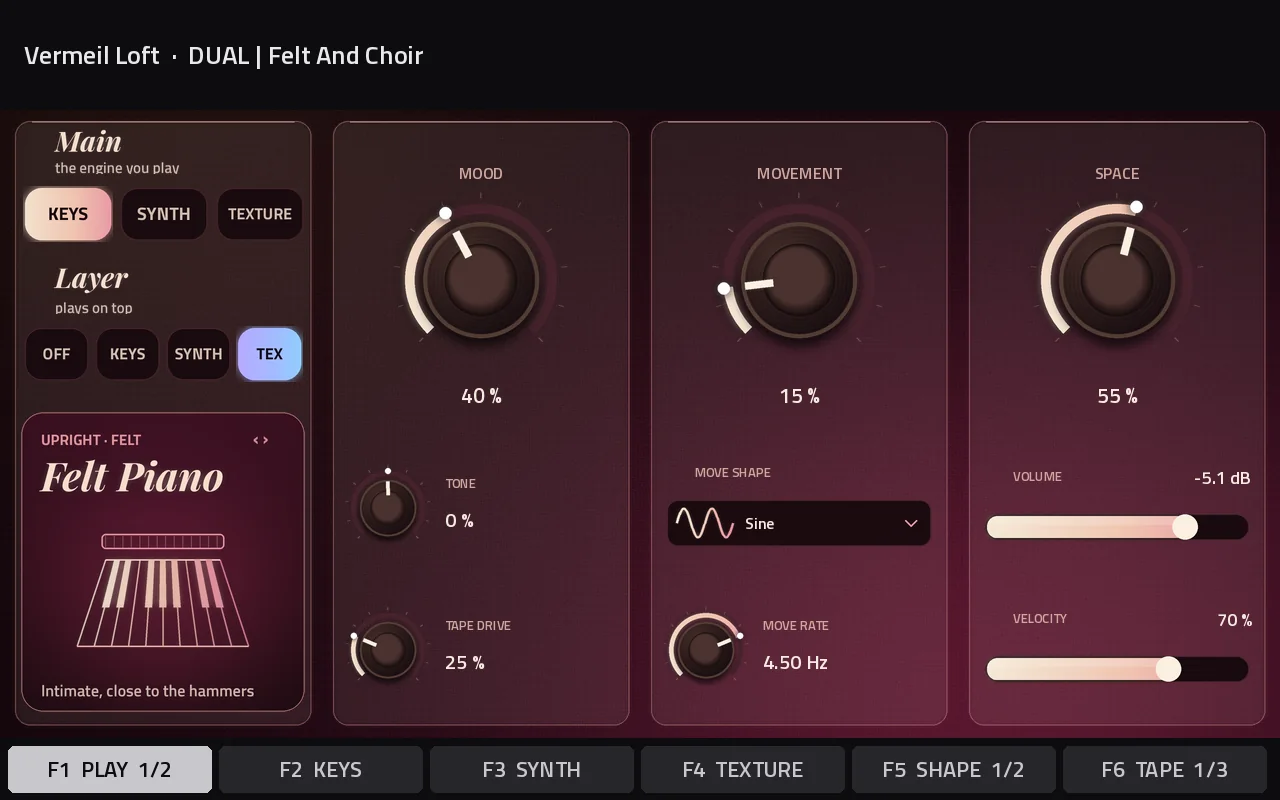
- F1 PLAY: MAIN = KEYS (Felt Piano), LAYER = TEX (Voices).
- F5 SHAPE: Layer Attack 1200 ms, Layer Release 3000 ms.
- Play slow chords and leave space: the choir arrives after the piano and stays after you let go.
18 DUAL presets are built this way: Grand And Strings, Celesta Halo, Tines In The Mist, Dark Matter, Furnace Orchestra…
THE BIG IDEA, PART TWO
Pick your era.
The same chord, six pasts. MEDIA runs the whole sound through a medium with its own tone, wobble and noise. Then Age, Wow, Flutter and Crackle finish the job.
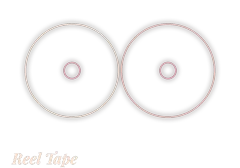 Tape
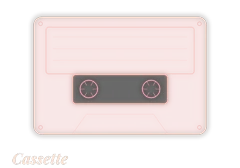 Cassette
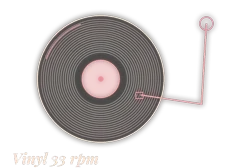 Vinyl
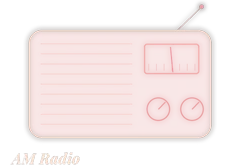 Radio
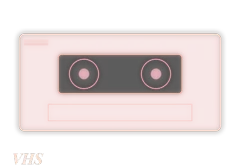 VHS
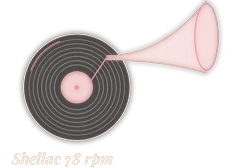 Shellac 78
- F6 TAPE: Media = Vinyl, Age 45 %, Crackle 35 %.
- Switch Media to Shellac 78: the sound narrows and the highs fall away.
- Switch to Cassette: the wobble moves forward. Same notes, three records.
You stop editing and start remembering. A chord stops being a chord: it becomes an old record found in a box.
YOUR SECOND PAIR OF EARS
It hears you.
Hold a chord: Vermeil Loft names it, finds your key and offers three chords that can come next, each with its role. When you are writing, that is the difference between staring at the pads and moving on.
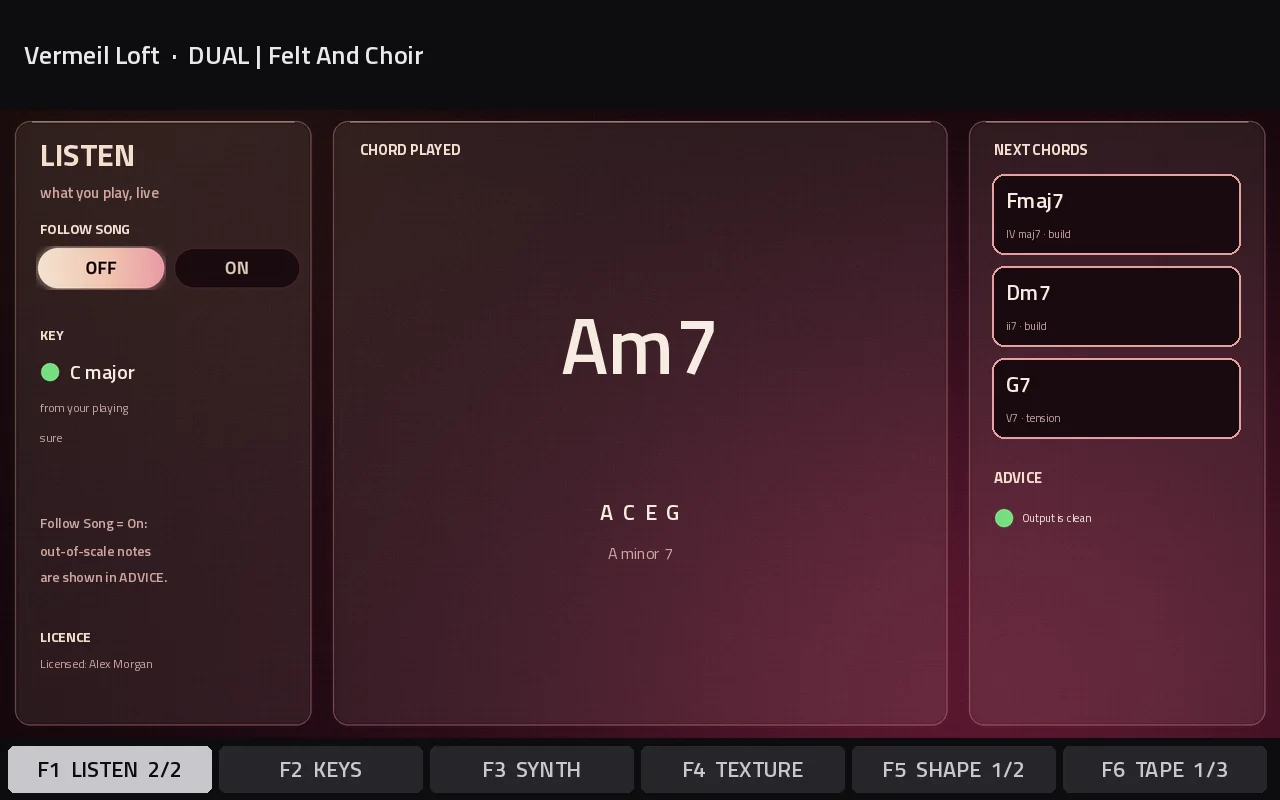
- Hold A C E G: CHORD PLAYED shows Am7, A minor 7. KEY: C major, green dot.
- NEXT CHORDS proposes Fmaj7 (build), Dm7 (build), G7 (tension).
- Play Fmaj7, then G7, then back to C: a full progression in four moves.
ADVICE flags clipping, a very quiet output, flipped phase or lows that are not mono, before they end up in your bounce.
MAP
Ten pages, six keys.
Each function key opens a page. Press it again to reach the next page on the same key (F1: PLAY, LISTEN · F5: SHAPE, MOVE · F6: TAPE, SPACE, LICENCE). The look follows the MAIN engine: burgundy for KEYS, night blue for SYNTH, violet mist for TEXTURE.
| F1 | PLAY | The home page |
| F1 | LISTEN | Your playing, read live |
| F2 | KEYS | Ten pianos and keys |
| F3 | SYNTH | Four characters, two oscillators |
| F4 | TEXTURE | Sounds that move on their own |
| F5 | SHAPE | Envelope, layer and playing |
| F5 | MOVE | Motion |
| F6 | TAPE | Age it |
| F6 | SPACE | Chorus, delay, reverb |
| F6 | LICENCE | Activation — see the end of this guide |
PLAY
The home page
1234567891011画面の内容
- MAIN The engine you play: KEYS, SYNTH or TEXTURE. Each one has its own page and its own look.
- LAYER A second engine that plays on top: OFF, KEYS, SYNTH or TEX. Its level, octave, attack and release are on SHAPE.
- Instrument card The current instrument, character or source of the MAIN engine. Touch it to open the full list.
- MOOD Warmth. 50 % is neutral. Turn right for a hotter, brighter, more saturated tone; turn left for a darker, older, worn tone.
- MOVEMENT Life. The master depth of vibrato, tremolo, filter motion and auto-pan. At 0 % nothing moves.
- SPACE Room. Opens the reverb and adds a touch of delay in one move.
- TONE A tilt EQ: right is brighter, left is darker.
- TAPE DRIVE Tape saturation: from clean to thick and glued.
- MOVE SHAPE · MOVE RATE The shape and speed of the motion (or the note value when Move Sync is on).
- VOLUME Output level, in dB.
- VELOCITY How much your playing strength changes the level and the tone.
用途
Everything you need to play and shape a sound, on one page. Pick the engine, add a second one on top, then season it with three big macro knobs. Most presets only need this page.
ヒント
Start every sound with the three big knobs: MOOD for warmth, MOVEMENT for life, SPACE for room. Turn them one at a time while you hold a chord.
LISTEN
Your playing, read live
123456画面の内容
- FOLLOW SONG OFF / ON. When ON, notes outside the key you are playing in are flagged in ADVICE.
- KEY The key of what you play, with a coloured dot for confidence: green sure, orange likely, red still unsure.
- CHORD PLAYED The chord you hold, in chord symbols, with its notes and its full name below (for example A minor 7).
- NEXT CHORDS Three chords that fit next in this key, each with its degree and its role: rest, build or tension.
- ADVICE Up to three short notes about your sound: clipping, very quiet output, phase, lows not mono, out-of-scale notes. Green info, orange tip, red problem.
- LICENCE The state of your licence (details at the end of this guide).
用途
Press F1 a second time. LISTEN names the chord you hold, finds the key of what you play, proposes three chords that can come next, and keeps an eye on the output.
ヒント
Stuck after two chords? Hold your last chord and look at NEXT CHORDS: a rest chord resolves, a build chord opens the road, a tension chord pulls you back home.
KEYS
Ten pianos and keys
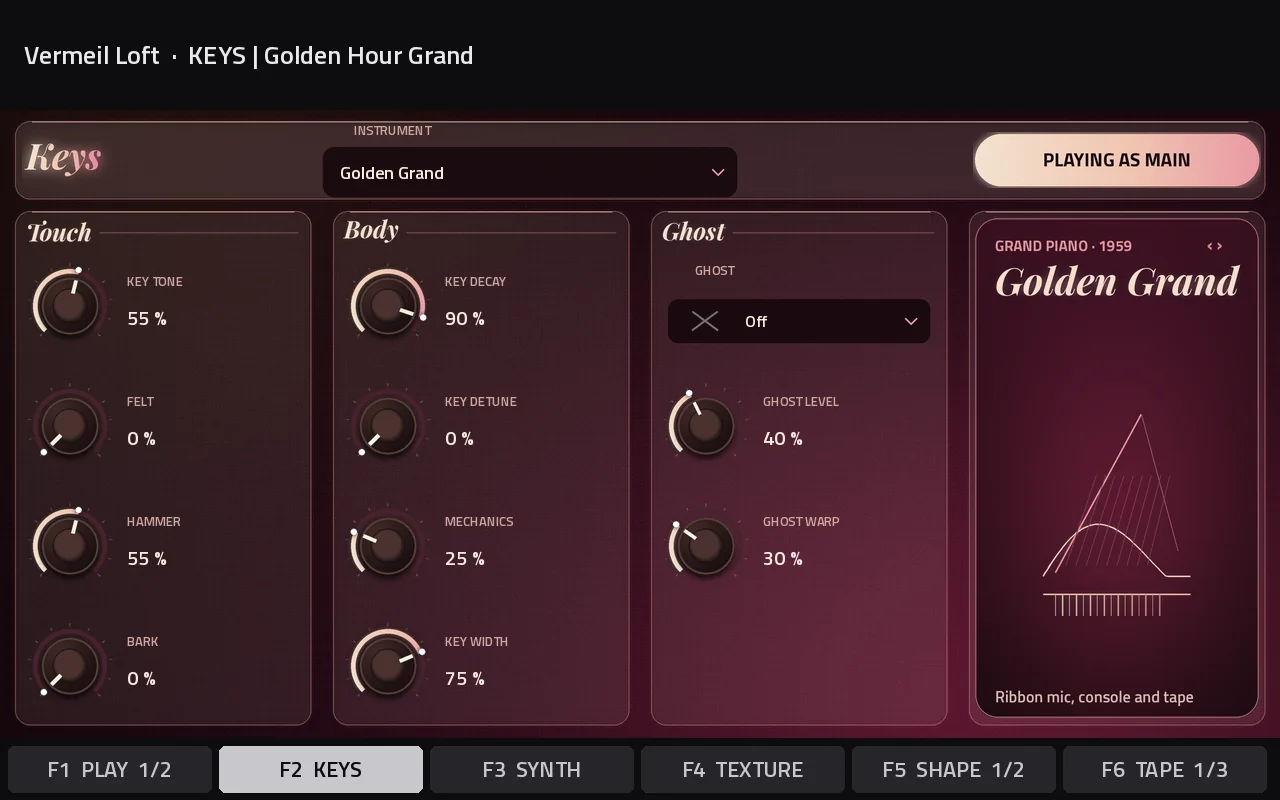 1234567891011
画面の内容
- INSTRUMENT The ten instruments. Touch the box to open the list.
- KEY TONE Brightness of the instrument.
- FELT Puts felt between hammer and string: softer, darker, closer.
- HAMMER How much harder playing brightens the attack.
- BARK The growl of an electric piano played hard.
- KEY DECAY How long the notes ring.
- KEY DETUNE A slightly out-of-tune, older instrument.
- MECHANICS The thump of the key going down and the clack when it comes back.
- KEY WIDTH Stereo spread of the notes across the keyboard.
- GHOST A second voice on every note: Octave Down, Octave Up, Fifth Up, Drift or Swell.
- GHOST LEVEL · GHOST WARP Level of the ghost voice, and how much its pitch bends and wanders.
用途
Three sampled pianos (Felt Piano, Golden Grand, Broadcast) and seven modelled keys (Tine EP, Reed EP, Celesta, Toy Piano, Kalimba, Music Box, Vibes). Shape the touch, the body and a ghost layer that follows every note.
ヒント
For a lo-fi felt piano: Felt around 60 %, Key Tone around 35 %, Mechanics around 40 %. The thump of the keys is what sells it.
SYNTH
Four characters, two oscillators
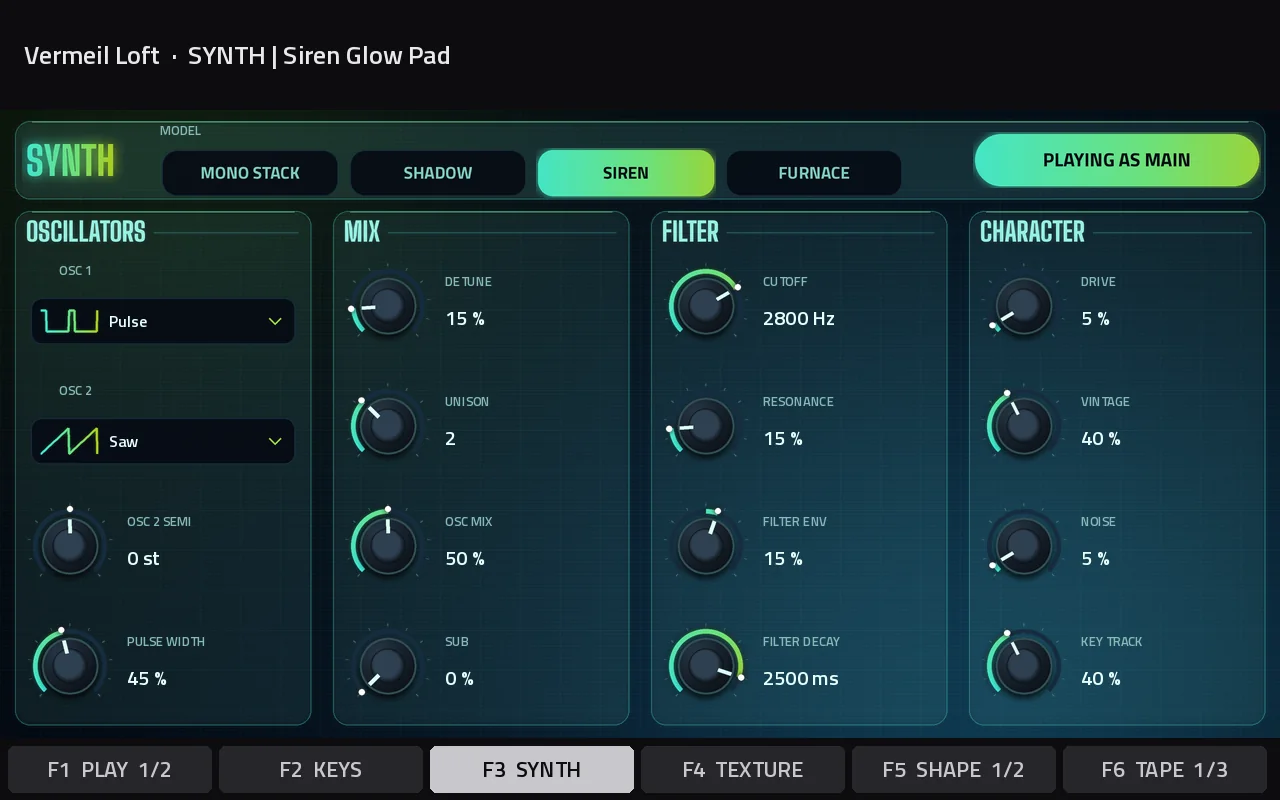 12345678910
画面の内容
- MODEL The four characters of the synth.
- OSC 1 · OSC 2 Waveforms: Saw, Square, Pulse, Triangle, Sine. Touch to open the list.
- OSC 2 SEMI Transposes oscillator 2, in semitones.
- PULSE WIDTH Shape of the pulse wave.
- DETUNE · UNISON Spread between oscillators and number of stacked voices.
- OSC MIX · SUB Balance of the two oscillators, and a sub one octave down.
- CUTOFF · RESONANCE The ladder filter.
- FILTER ENV · FILTER DECAY How far and how fast the filter opens on each note (negative closes it).
- DRIVE · VINTAGE Saturation, and the slow drift of an old analog synth.
- NOISE · KEY TRACK Breath of noise, and how much the filter follows the keyboard.
用途
A polyphonic analog-style synth with two oscillators, sub, noise and a ladder filter. MODEL sets its character: Mono Stack, Shadow (dark), Siren (bright, with chorus) and Furnace (through a tube amp).
ヒント
Fat pad in seconds: Unison 3, Detune around 25 %, Filter Env at 0 %, then a slow Attack on the SHAPE page.
TEXTURE
Sounds that move on their own
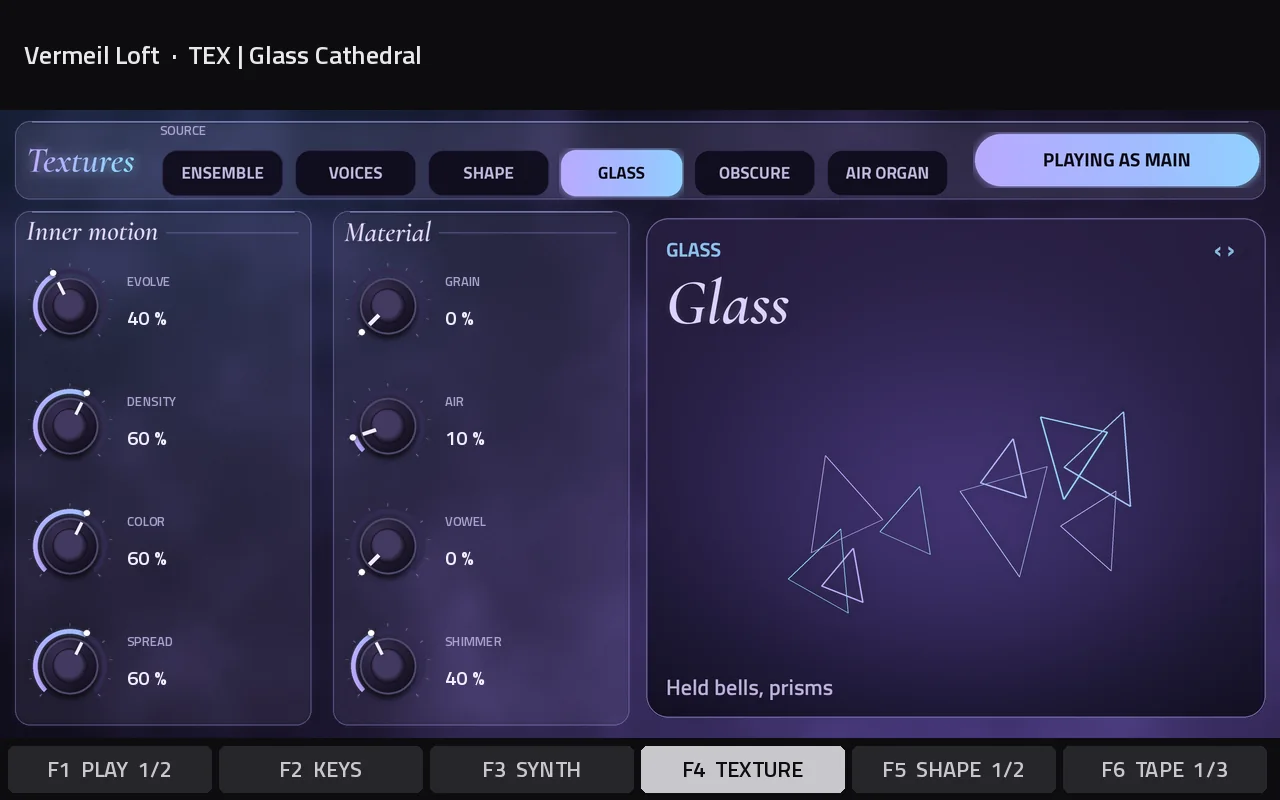 123456789
画面の内容
- SOURCE The six sources.
- EVOLVE How much the texture keeps changing while you hold the notes.
- DENSITY From a few clear lines to a thick cloud.
- COLOR Dark to bright.
- SPREAD Width of the cloud.
- GRAIN Grit and texture in the sound.
- AIR Breath on top.
- VOWEL Moves the sound from one vowel to another, like a choir.
- SHIMMER A bright halo above the notes.
用途
Six sources of evolving pads: Ensemble (strings), Voices (choirs), Shape (moving harmonics), Glass (held bells), Obscure (drones and noise) and Air Organ (pipes and breath).
ヒント
Hold one chord and raise Evolve slowly: the pad starts to breathe by itself. Perfect for an intro or a breakdown.
SHAPE
Envelope, layer and playing
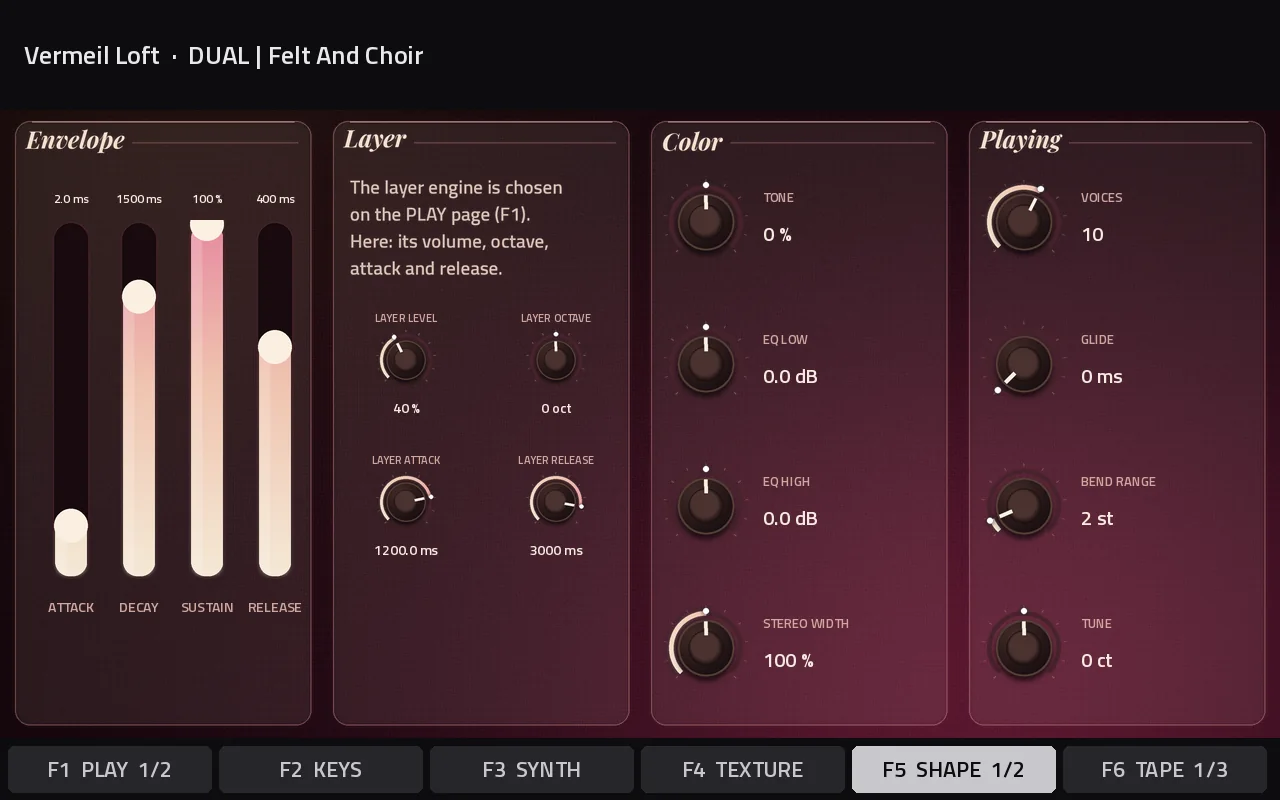 1234567
画面の内容
- ATTACK · DECAY · SUSTAIN · RELEASE The volume envelope, as four tall bars.
- LAYER LEVEL · LAYER OCTAVE Volume of the layer, and its octave from -2 to +2.
- LAYER ATTACK · LAYER RELEASE Fade-in and fade-out of the layer, on its own.
- TONE · EQ LOW · EQ HIGH Tilt EQ and two shelves for the whole sound.
- STEREO WIDTH From mono to extra wide.
- VOICES How many notes can sound at once.
- GLIDE · BEND RANGE · TUNE Slide between notes, pitch bend range and fine tune.
用途
The volume envelope of the MAIN engine, the settings of the LAYER, the colour of the whole sound and how it reacts to your playing.
ヒント
Give the layer a longer attack than the main sound: the piano speaks first, then the pad blooms behind it.
MOVE
Motion
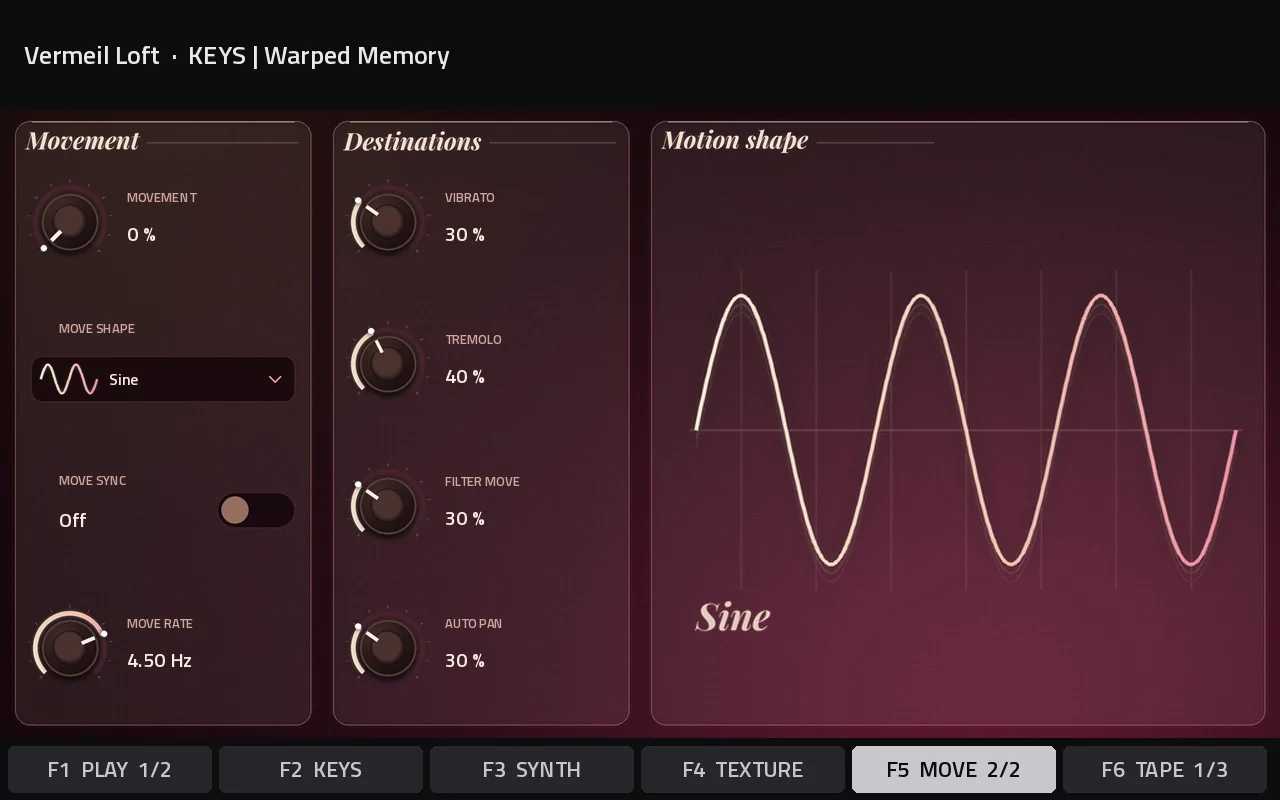 1234567
画面の内容
- MOVEMENT The master depth (same knob as on PLAY). At 0 % the four destinations are silent.
- MOVE SYNC Off: speed in Hz. On: locked to your tempo, in note values.
- MOVE RATE / MOVE DIV Speed of the motion.
- VIBRATO Pitch wobble.
- TREMOLO Volume pulse.
- FILTER MOVE Brightness that comes and goes.
- AUTO PAN Left-right movement.
用途
Press F5 a second time. One motion source drives four destinations. Its shape is drawn large on the right.
ヒント
Turn Move Sync on, pick 1/4 and raise Tremolo: the keys pulse in time with your beat.
TAPE
Age it
1234567画面の内容
- TAPE DRIVE Tape saturation.
- WOW · FLUTTER Slow and fast pitch wobble of an old machine.
- HISS Tape noise.
- AGE · LOFI Worn highs and lows, and reduced resolution.
- CRACKLE Dust and crackle, on any medium.
- MOOD The same macro as on PLAY.
- MEDIA Tape, Cassette, Vinyl, Radio, VHS or Shellac 78. Each has its own tone, wobble and noise. The picture follows your choice.
用途
The vintage chain at the end of the sound: tape, wear and the medium it is played from.
ヒント
An old sample without the mud: Age and Crackle up, Tape Drive low, then Tone slightly to the right on PLAY.
SPACE
Chorus, delay, reverb
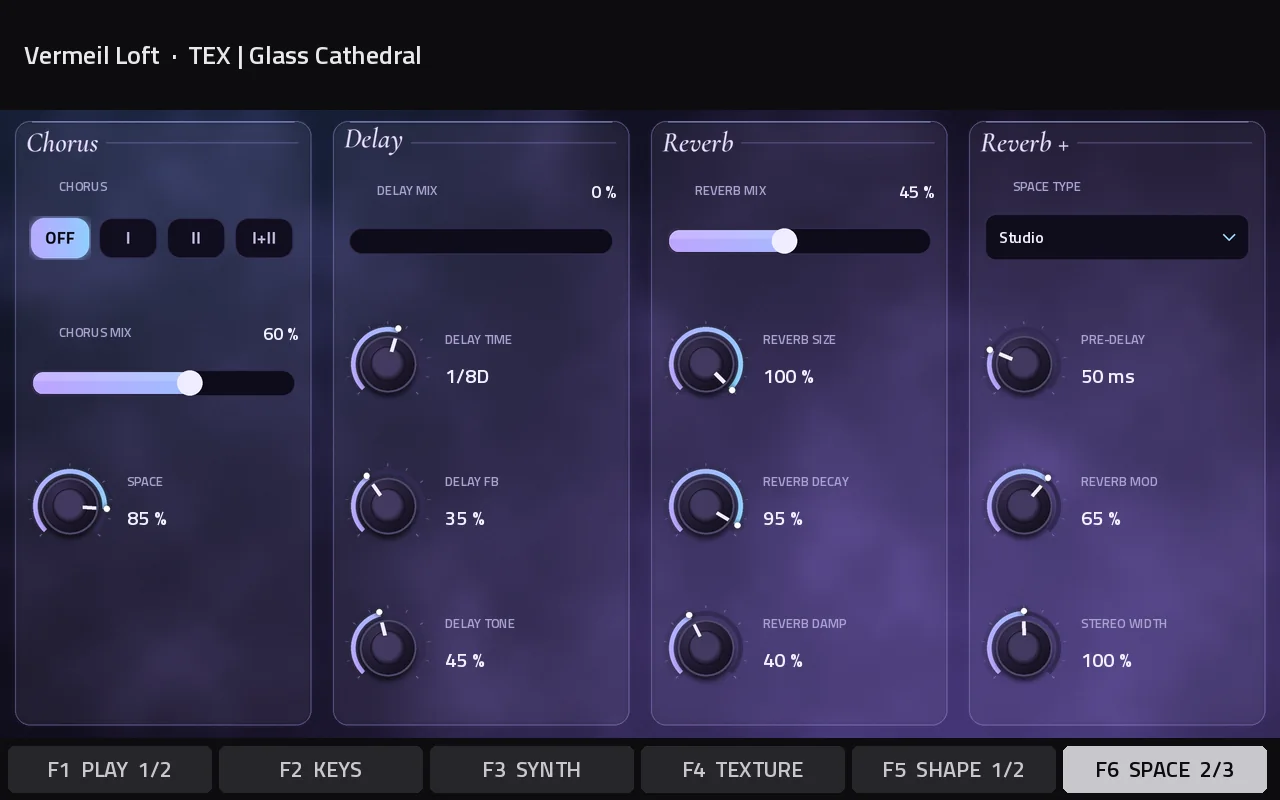 123456789
画面の内容
- CHORUS · CHORUS MIX Off, I, II or I+II, and its amount.
- SPACE The same macro as on PLAY.
- DELAY MIX Amount of delay.
- DELAY TIME In note values, from 1/64 to 2 bars.
- DELAY FB · DELAY TONE Number of repeats, and how dark they get.
- REVERB MIX · SIZE · DECAY · DAMP The reverb.
- SPACE TYPE Studio, Plate, Spring, Hall, Cathedral or Infinite.
- PRE-DELAY · REVERB MOD Gap before the reverb, and its slow movement.
- STEREO WIDTH From mono to extra wide.
用途
Press F6 a second time. Ensemble chorus, a ping-pong delay locked to your tempo and a reverb with six types of space.
ヒント
Keep Reverb Mix low and set Pre-Delay between 30 and 60 ms: the notes stay clear and the room still opens up behind them.
LISTS
Touch a box, see every choice.
Touch any box with a small arrow (Instrument, Ghost, Osc 1, Osc 2, Source, Move Shape, Media, Space Type, or the big card on PLAY): the full list opens over the page, with every name. Touch a name to load it and close the list, or touch × CLOSE.
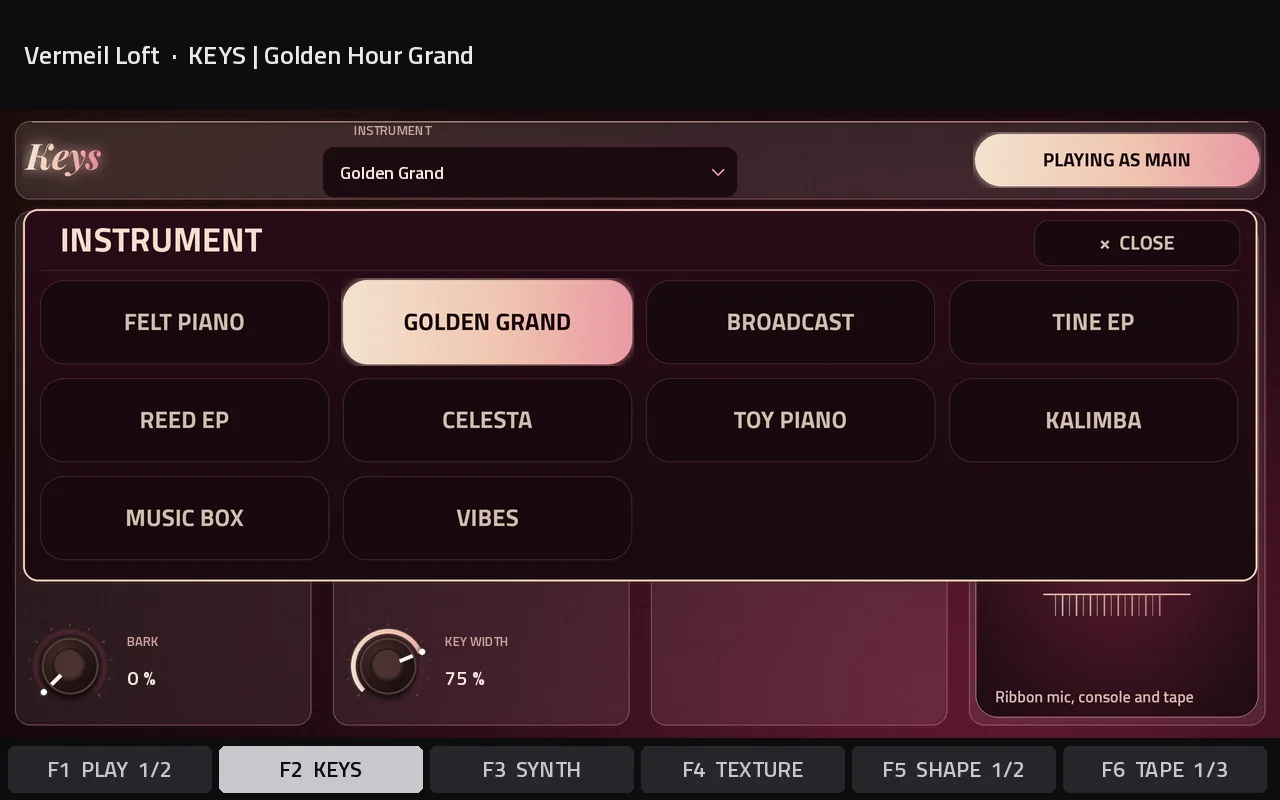 INSTRUMENT (KEYS)
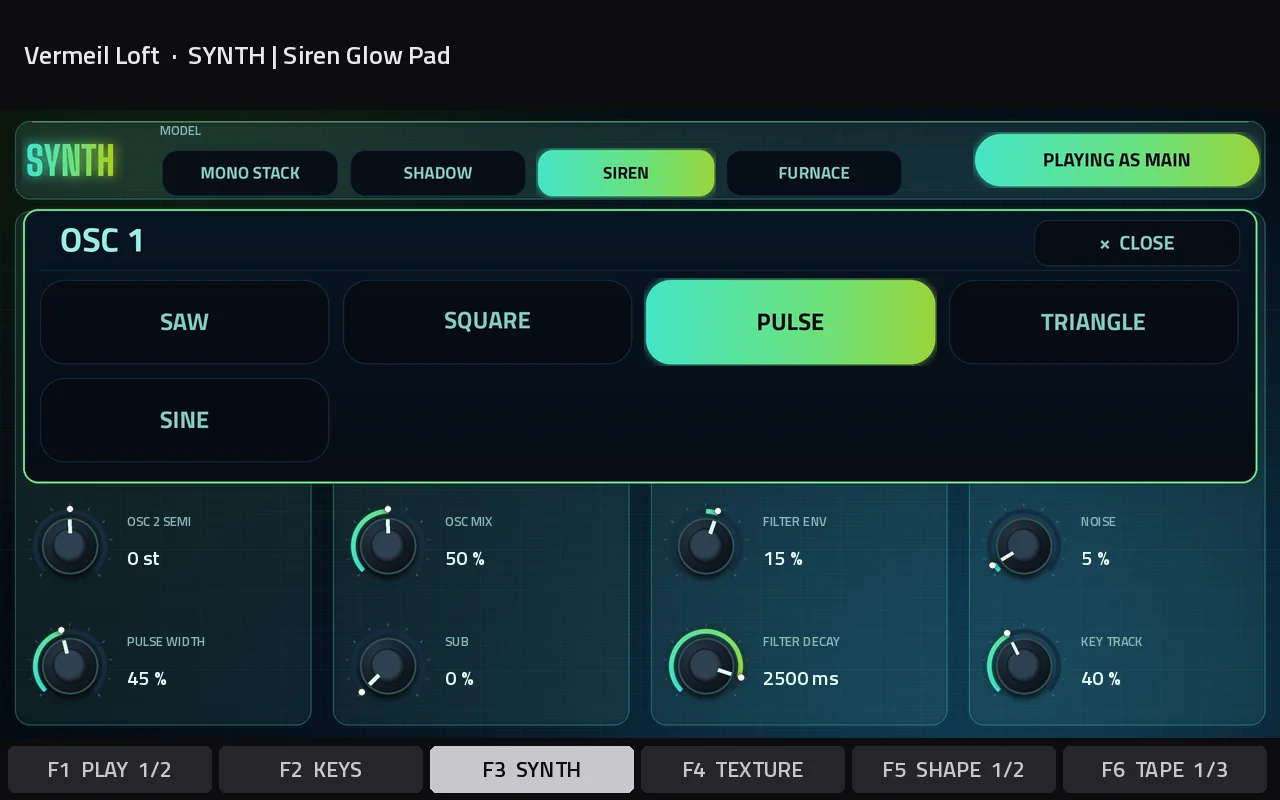 OSC 1 (SYNTH)
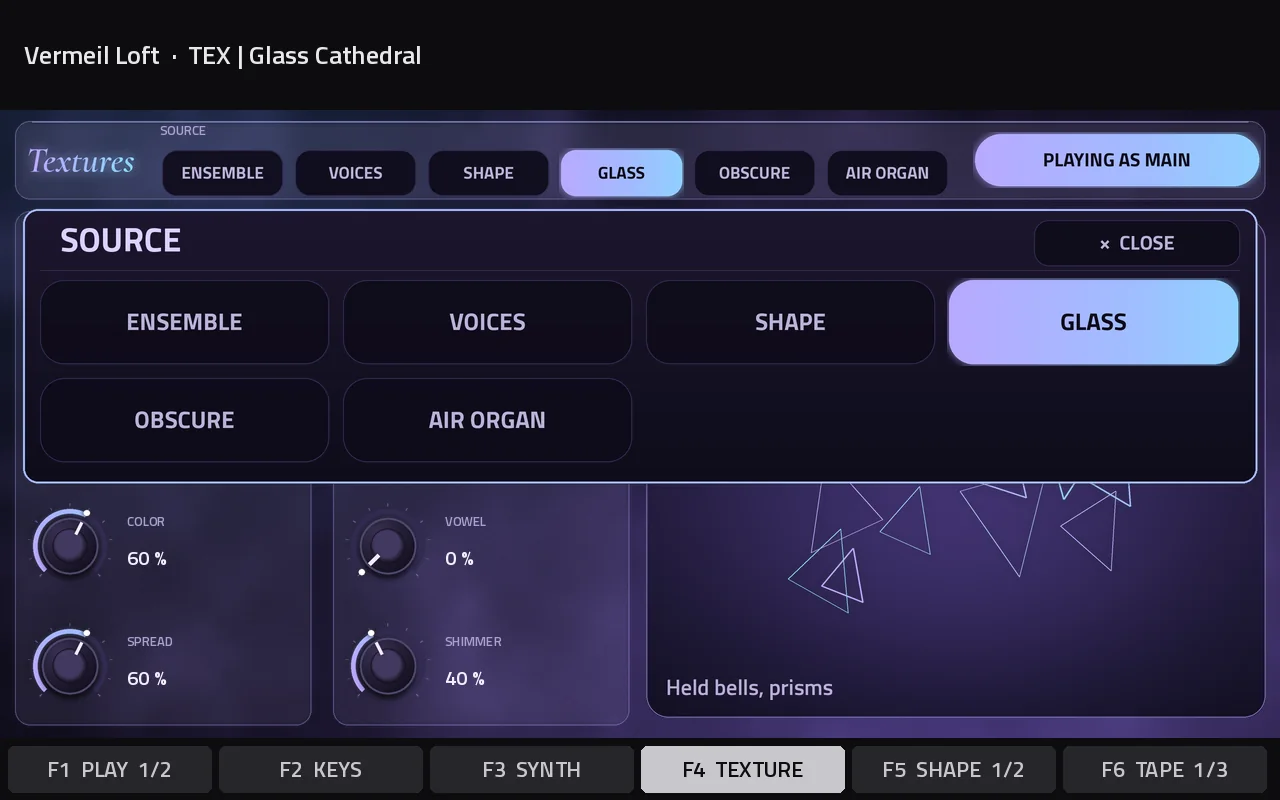 SOURCE (TEXTURE)
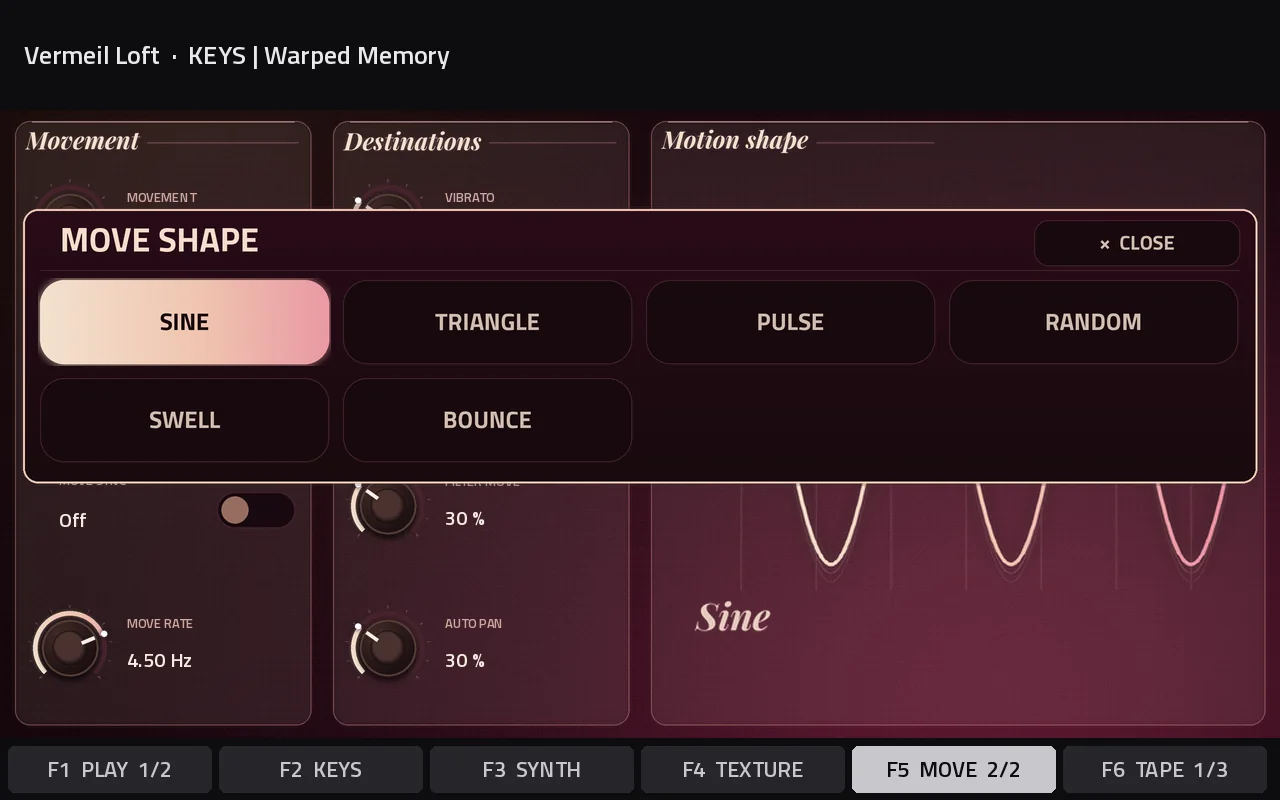 MOVE SHAPE (MOVE)
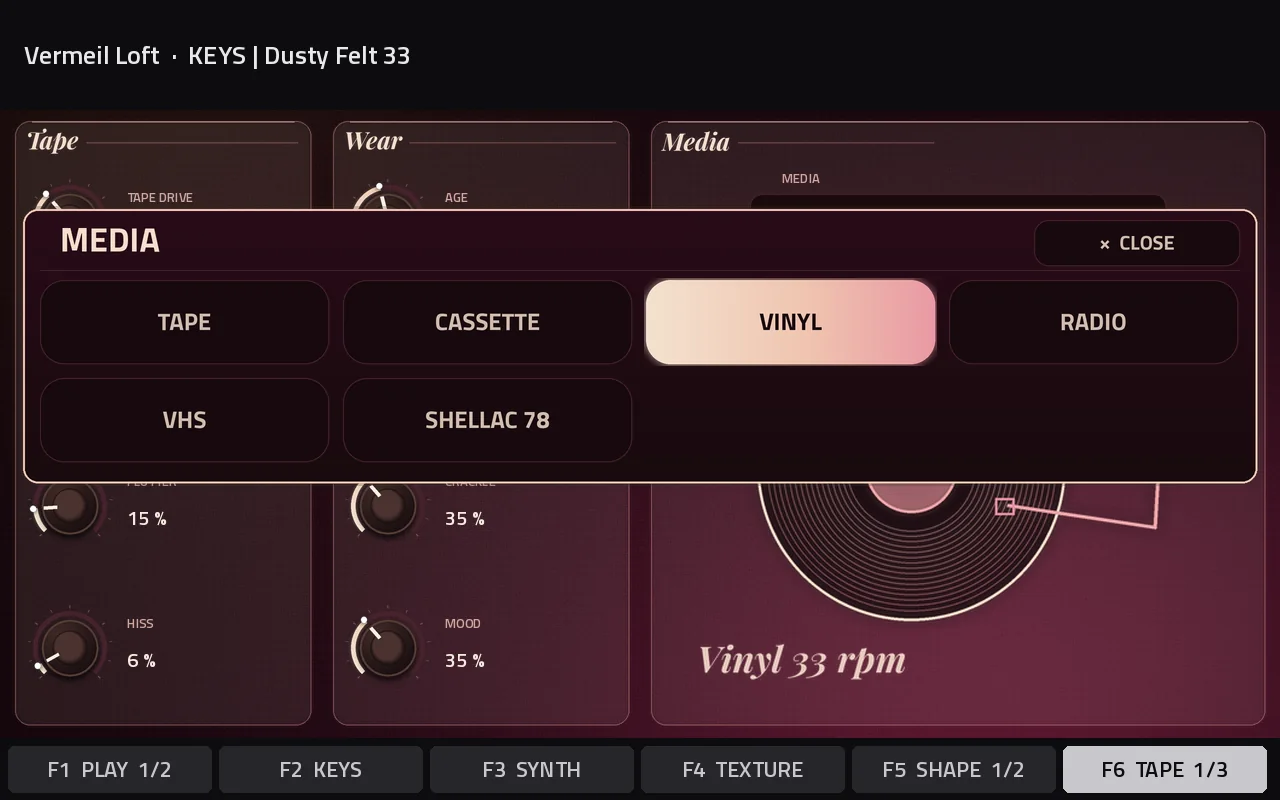 MEDIA (TAPE)
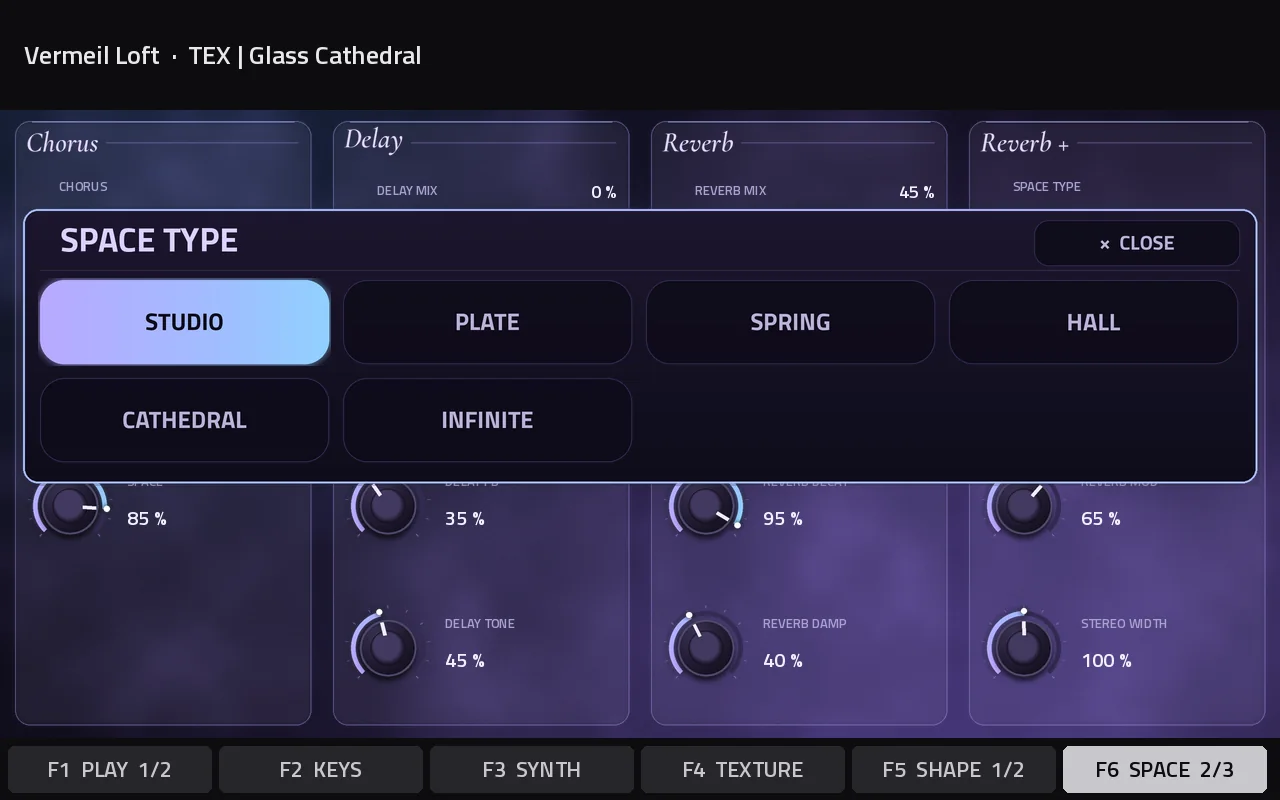 SPACE TYPE (SPACE)
SPECS
Vermeil Loft at a glance.
Vintage keys, an analog-style synth and evolving textures in one instrument, with a second engine on top and a vintage tape-and-media chain at the end.
- Lo-fi and boom bap: dusty felt pianos and electric pianos, straight from a record.
- Neo soul and R&B: tines, reeds and vibes with real touch and bark.
- Ambient, film and intros: layered pads, choirs and glass that move on their own.
- Three engines (KEYS, SYNTH, TEXTURE) and any two at once with LAYER.
- Three sampled pianos plus seven modelled keys, with felt, hammer, mechanics and a ghost voice.
- Six media (Tape, Cassette, Vinyl, Radio, VHS, Shellac 78) plus tape drive, wow, flutter, hiss, age and crackle.
- Three macro knobs that do the heavy lifting: MOOD, MOVEMENT, SPACE.
- LISTEN: chord, key, next chords and advice on your output, live.
- Ensemble chorus, tempo-synced ping-pong delay and six reverb spaces built in.
| Presets | 281 in 4 folders + Init |
| Engines | 3 · 10 instruments · 4 characters · 6 sources |
| Voices | 10 main + 6 layer |
| Controls | 90 sound settings on 10 pages |
| Media · spaces | 6 media · 6 reverb types |
| Size | about 65 MB (piano samples 30 MB) |
| Runs on | MPC standalone · MPC OS 3.10.1 |
- Install Copy the folder Studio Loft - VST - Vermeil Loft into VST2 Plugins on your MPC drive, then restart the MPC.
- Load Load Vermeil Loft as a plugin instrument, then pick a preset from Keys, Synth, Texture or Dual.
- Play Stay on PLAY and turn MOOD, MOVEMENT and SPACE.
PRESETS
281 presets
On the MPC they sit in four folders, plus Init on its own.
- Sampled pianos: Salamander Grand Piano V3 by Alexander Holm, licensed under Creative Commons Attribution 3.0 (CC-BY 3.0).
- Fonts: Playfair Display, Big Shoulders Display, Cormorant Garamond and Titillium Web, under the SIL Open Font License 1.1.
- Licence check: Monocypher by Loup Vaillant (CC0 / BSD-2-Clause).
- All other sounds are generated by the plugin. Full licence texts: folder Licences of the plugin.
ライセンスとアクティベーション
3ステップであなたのものに。
購入
このサイトで一度お支払い。個人用リンクがメールで届き、ずっと有効です。
Loft Hubをインストール
MPC OS 3.10.1以降で、PreferencesのEnhancementsとExternal Plugin Supportをオンにします。Loft HubをMPCドライブに一度コピーするだけです。
リンクして演奏
Loft Hubで同意してMPCをリンクすると、プラグインが自動でインストールされます。2台のMPCで使えます。以上です。
LICENCE
Activation
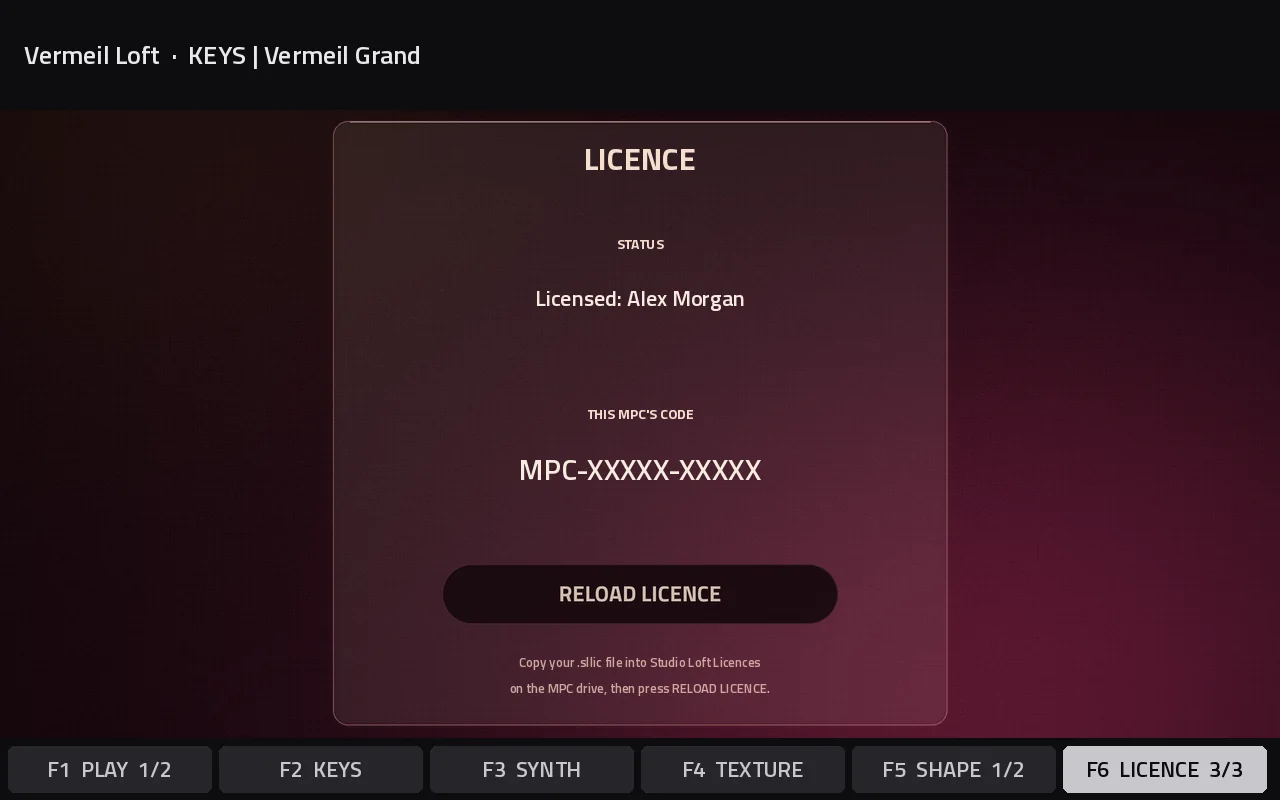 1234
画面の内容
- STATUS Licensed, or what is missing. Without a valid licence the plugin is silent.
- Shop line Shown only when no valid licence is found: where to get one.
- THIS MPC'S CODE The code of this MPC, in the form MPC-XXXXX-XXXXX.
- RELOAD LICENCE Reads the licence files again, right after you copied a new one.
用途
Press F6 a third time: LICENCE is the very last page. It tells you if Vermeil Loft is licensed, and shows the code of your MPC, needed to activate it.
ヒント
You never need to type the code: Vermeil Loft also writes it to the file MY MPC CODE.txt in the Studio Loft Licences folder of your MPC drive. Open it from your computer and copy it.
- One purchase, two MPCs.
- No internet needed on the MPC. Without a valid licence the plugin stays silent, and a line at the top of PLAY tells you where to go.
- Read your MPC code on the LICENCE page, or open MY MPC CODE.txt in Studio Loft Licences on your MPC drive.
- Enter it on loftplugins.ch when you buy.
- Copy the licence file you receive into Studio Loft Licences.
- On the LICENCE page, press RELOAD LICENCE.
あなたのものに
Vermeil Loft
ヴィンテージ鍵盤、シンセ、埃っぽいローファイの質感をひとつに。
一度の支払いでずっとあなたのもの。ライセンスは2台のMPCで使えます。