Effect · versão 1.5.1
OZX Loft
YOUR WHOLE MASTER IN ONE EFFECT ON THE MPC MASTER TRACK.
10 to 20 s of your beat: spectrum, loudness, true peak, width, the notes that stick out, the key.
O manual
Cada ecrã,
página a página.
O guia completo, ecrã a ecrã, exatamente como na MPC. Os nomes dos parâmetros ficam em inglês, como no ecrã.
Press ASSISTANT . Fifteen seconds later, it's mastered.
A real run, not a mock-up: a raw trap beat, preset TRAP Standard, Destination By Style.
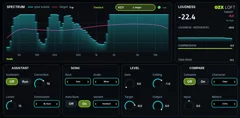
It listens
10 to 20 s of your beat: spectrum, loudness, true peak, width, the notes that stick out, the key.
It shapes the tone
EQ toward the curve of your style, bells on your key, two dynamic bands on the notes that jump out.
It sets the glue
Multiband, compressor, saturation, width and clipper from the recipe of the style and variant.
It hits the target
Limiter gain in a few passes until the loudness lands on your destination, never over the ceiling.
Every move it makes is a knob you can touch.
No black box. On this trap beat, here is what the Assistant set:
| Setting | Before | After |
|---|---|---|
| Low Cut | 20 Hz | 22 Hz |
| Sub Hz | 55 Hz | 65 Hz |
| Sub | 0.0 dB | 2.7 dB |
| Low Mid Hz | 300 Hz | 630 Hz |
| Low Mid | 0.0 dB | 2.4 dB |
| Mid | 0.0 dB | 4.0 dB |
| Presence | 0.0 dB | -4.0 dB |
| High | 0.0 dB | -4.0 dB |
| Dyn 1 Hz | 250 Hz | 1319 Hz |
| Dyn 1 Max | 0.0 dB | 4.3 dB |
| Dyn 2 Hz | 3500 Hz | 330 Hz |
| Dyn 2 Max | 0.0 dB | 4.0 dB |
| MB Mode | Soft | Punch |
| Comp Threshold | 0.0 dB | -20.5 dB |
| Clip | 0.0 dB | 2.5 dB |
| Gain | 0.0 dB | 15.1 dB |
It also tells you what it can't fix.
Advice lines tagged TRACK point at something to change in the mix itself. Lines tagged OZX are already handled. Not convinced? UNDO puts back the settings you had before the run, and a second press brings the Assistant's settings back. Compare them in a second.
One effect. The whole chain.
OZX goes on the master track of your MPC. The signal runs through these stages, in this order:
Input
±12 dB
EQ
Low cut, shelves, 4 bells, high cut, 2 dynamic bands. Key Track.
Multiband
3 bands: compression, saturation and width in each band.
Mono Below
Lows summed to mono.
Compressor
Bus glue, stepped ratio and timing.
Clipper
Soft, up to 6 dB.
Limiter
True peak, 1.5 ms look-ahead.
Output
Trim
Styles
79 styles, each with its own target tone curve and its own recipe for the dynamics. Four variants: Soft, Standard, Loud, Club.
Destinations
By Style, Streaming -14, Quiet -16, Video -14, Sharing -10, Beatstore -9, Loud Rap -8, Club -7, Very Loud -6, or Manual with your own Target.
Compare
Hear your original at the same perceived loudness. Louder always sounds better; Compare takes that trick away so you judge the tone.
Tip
Leave about 6 dB of headroom on your mix bus before OZX (peaks around -6 dBFS). The Assistant then has room to shape the sound before the limiter does the loudness.
The screen
9 pages on the function keys: F1 MAIN and LISTEN, F2 EQ 1 and EQ 2, F3 COMPRESSOR, F4 MULTIBAND and MB GAIN, F5 COLOR, F6 LIMITER, plus LICENCE (F6, page 2). Touch a control to put it on the Q-Link knobs; turn a knob or the data wheel to change it.
MAIN
Your whole master on one page.
12345678O que vê
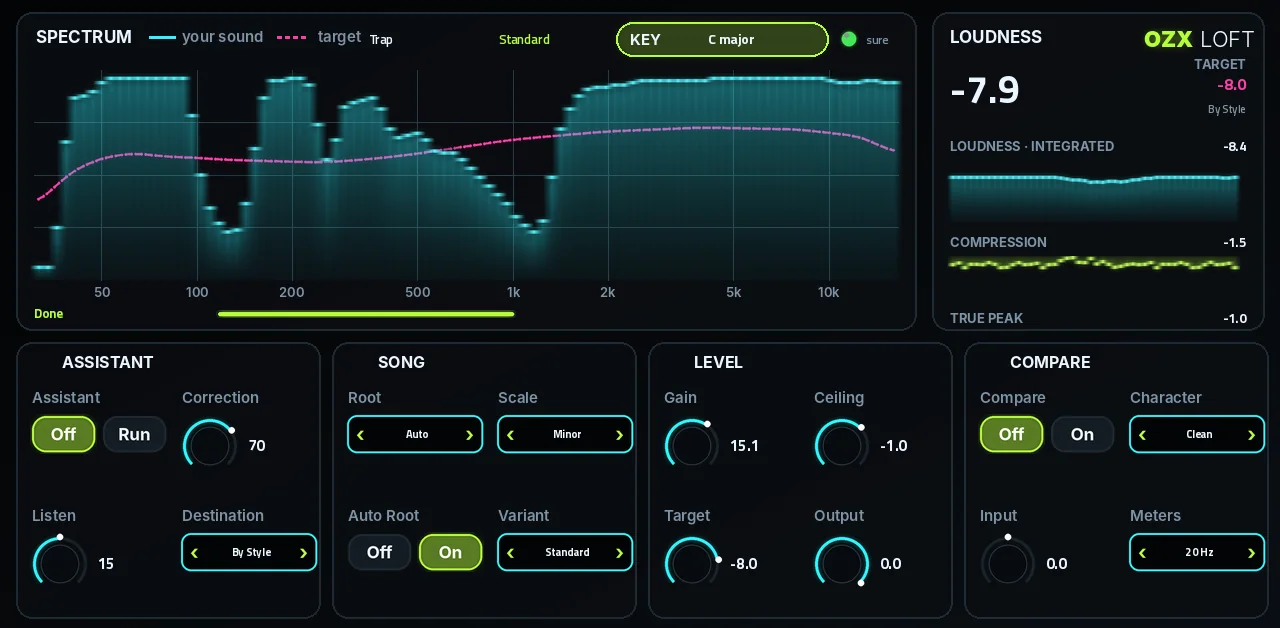
- 1 SPECTRUM Your sound in cyan, the target curve of the chosen style in pink dashes. The style and variant names sit beside the legend.
- 2 KEY The root note OZX hears in your beat, with a dot: green = sure, orange = likely, red = unsure.
- 3 State bar What the Assistant is doing: Ready, Listening, Computing, Level, Done. The bar shows its progress.
- 4 LOUDNESS Short-term loudness in big digits, your TARGET and destination, integrated loudness and compression over the last 12 s, and the TRUE PEAK.
- 5 ASSISTANT Assistant Off / Run starts it. Correction sets how far the EQ moves toward the style curve (0-100 %). Listen: 10 to 20 s. Destination: where the track is going.
- 6 SONG Root (Auto or a note) and Scale (11 scales) guide the EQ. Auto Root lets OZX use the key it hears. Variant: Soft, Standard, Loud or Club.
- 7 LEVEL Gain pushes into the limiter. Ceiling: highest true peak (-3 to 0 dBTP). Target: loudness to reach (-20 to -5 LUFS). Output: final trim.
- 8 COMPARE Compare plays your original at the same perceived loudness, so you judge the tone, not the volume. Character: limiter flavour. Input: level in. Meters: screen refresh rate.
Para que serve
Your home page. Load a style preset, choose a Destination, press Run while the beat plays, then read the numbers here.
Dica
Set the Destination before you press Run. Selling beats online? Try Beatstore -9. Releasing on a streaming service? Streaming -14 keeps your drums alive.
LISTEN
Advice in plain words, and the song shared with your instruments.
 1234567
O que vê
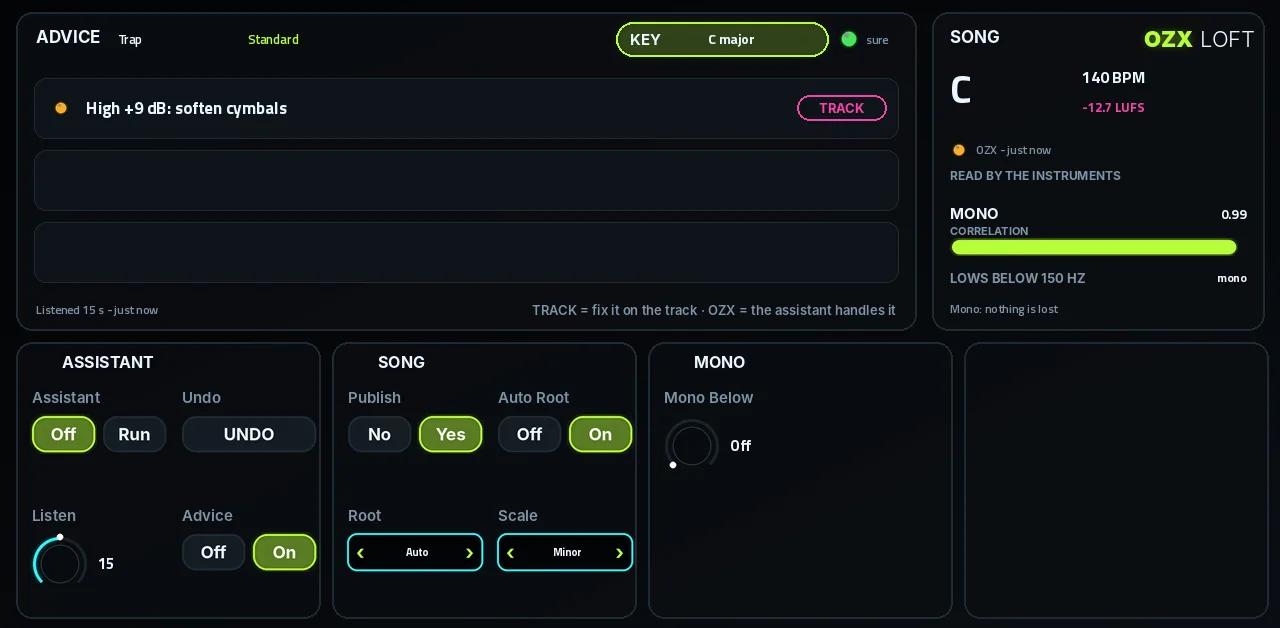
- 1 ADVICE Up to three lines after each Assistant run. Dot colour: green = info, orange = advice, red = problem. TRACK = fix it on the track. OZX = the Assistant handles it.
- 2 Advice info How long OZX listened, and how long ago.
- 3 SONG The key, tempo and loudness OZX shares, with its source and age. Studio Loft instruments with a Follow Song option read it.
- 4 MONO Correlation bar (+1 = mono, keep it above 0), a mono check of the lows below 150 Hz, and what happens if the track is played in mono.
- 5 ASSISTANT Assistant Off / Run, UNDO, Listen time, and Advice On / Off.
- 6 SONG Publish shares the key, tempo and loudness. Auto Root, Root and Scale: the key used by the EQ.
- 7 MONO Mono Below: everything under this frequency is summed to mono.
Para que serve
Go here after the Assistant has run. It tells you what it fixed, and what only you can fix in the mix.
Dica
Advice says the lows are not mono? Set Mono Below to about 120 Hz here, or narrow the bass track itself.
EQ 1
A musical EQ that follows the key of your beat.
 12345
O que vê
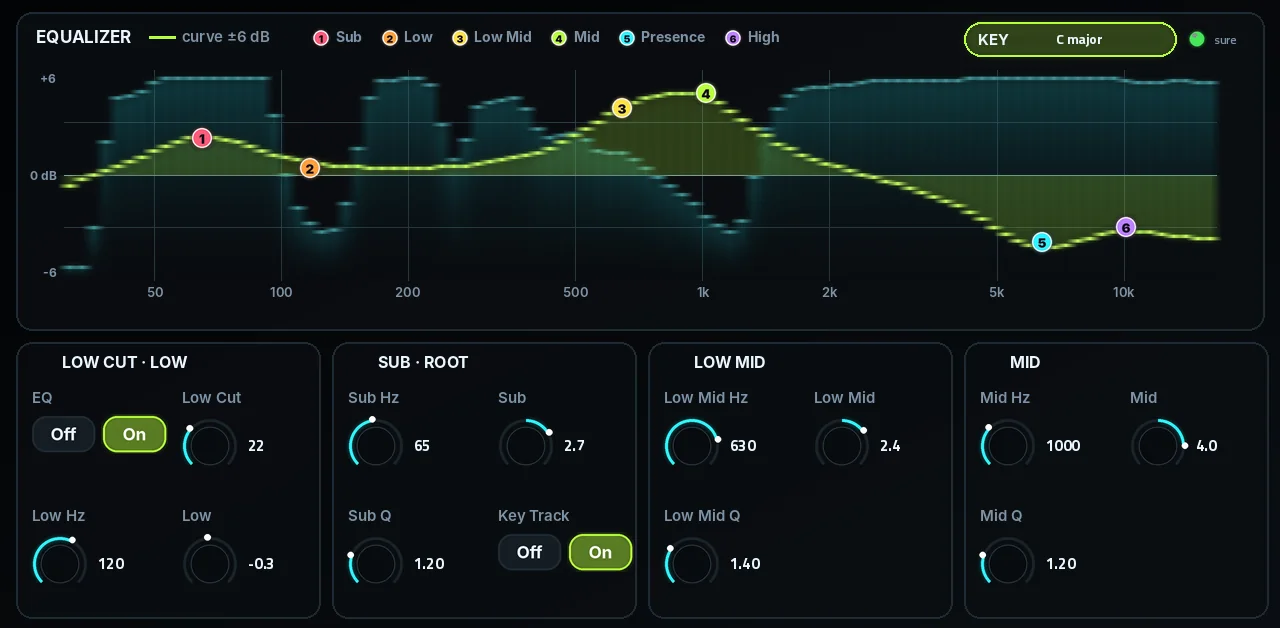
- 1 EQUALIZER Your sound, dimmed, with the EQ curve on top (±6 dB). Points 1 to 6 are the bands: Sub, Low, Low Mid, Mid, Presence, High.
- 2 LOW CUT · LOW EQ On / Off, Low Cut (10-120 Hz), and the Low shelf: Low Hz and Low (±6 dB).
- 3 SUB · ROOT A bell for the sub: Sub Hz, Sub (±6 dB), Sub Q. Key Track On: the bells land on notes of your scale, and the Sub on the root.
- 4 LOW MID Bell: Low Mid Hz (120-1000 Hz), gain, Q.
- 5 MID Bell: Mid Hz (500-4000 Hz), gain, Q.
Para que serve
Where the Assistant's tone correction lives. Every move it made is here, and you can change it.
Dica
Key Track puts the Sub bell right on your root note. One or two dB there makes the bass feel bigger without more level.
EQ 2
Top end, and two dynamic bands that only act when needed.
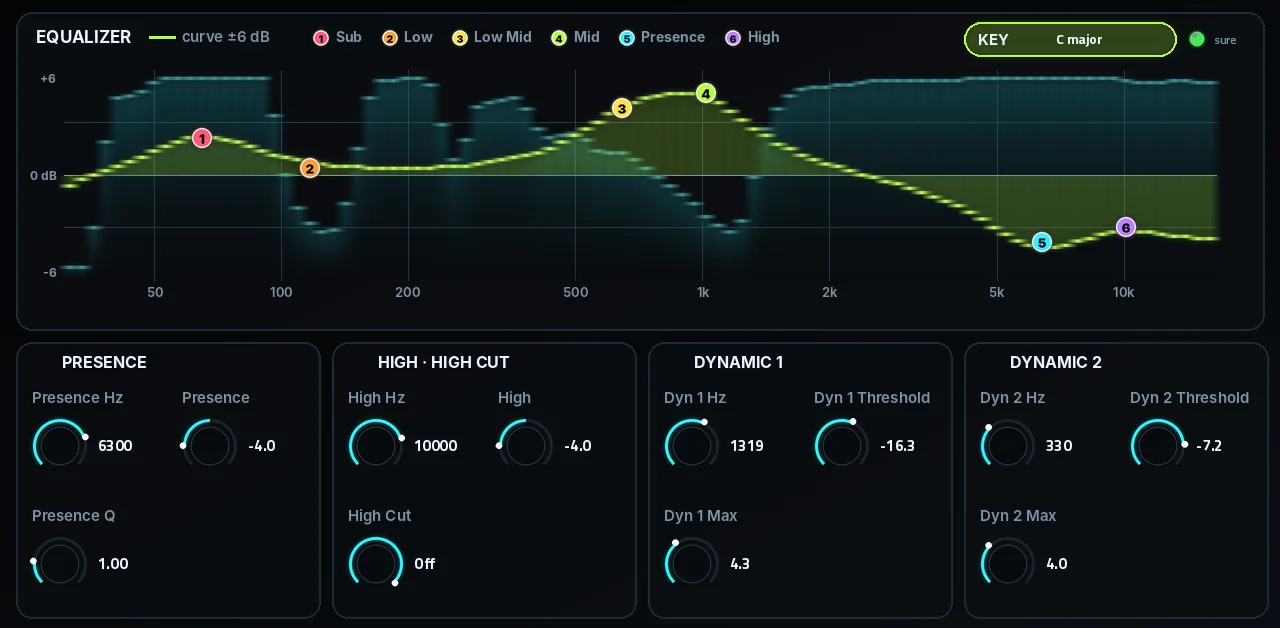 12345
O que vê
- 1 EQUALIZER The same curve, so you see every band together.
- 2 PRESENCE Bell: Presence Hz (1.5-10 kHz), gain, Q.
- 3 HIGH · HIGH CUT High shelf (High Hz, High ±6 dB) and High Cut (4-22 kHz, Off at the top).
- 4 DYNAMIC 1 A band that cuts only when that frequency pokes out: Dyn 1 Hz, Dyn 1 Threshold, Dyn 1 Max (up to 12 dB).
- 5 DYNAMIC 2 A second dynamic band, same controls.
Para que serve
Fine-tune the brightness, and tame notes that jump out without dulling the whole mix.
Dica
Harsh hi-hats? Put Dynamic 2 around 6-8 kHz, lower the threshold, Max 3 dB. It only bites when they do.
COMPRESSOR
The glue on the whole mix, then a soft clipper.
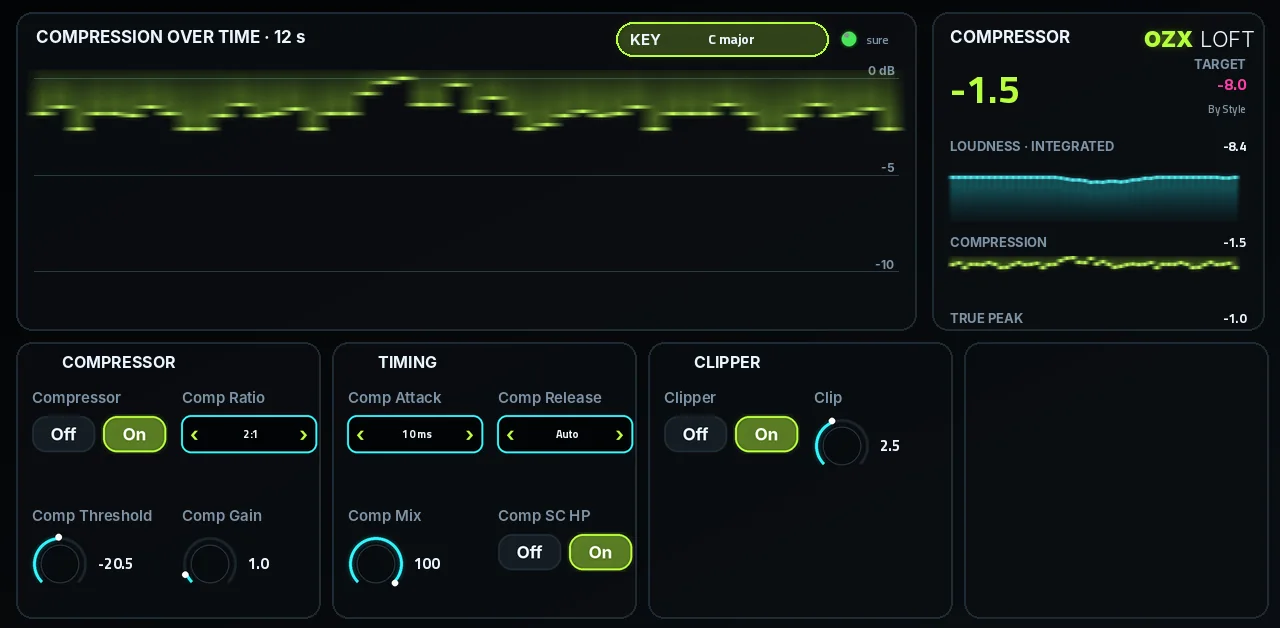 12345
O que vê
- 1 COMPRESSION OVER TIME Gain reduction of the compressor over the last 12 s (0 to -10 dB).
- 2 COMPRESSOR Gain reduction now, target, integrated loudness, compression history and true peak.
- 3 COMPRESSOR On / Off, Comp Ratio (1.5:1 to 10:1), Comp Threshold, Comp Gain (make-up).
- 4 TIMING Comp Attack (0.1 to 30 ms), Comp Release (0.1 to 1.2 s or Auto), Comp Mix (parallel blend), Comp SC HP: the detector ignores the low end.
- 5 CLIPPER Clipper On / Off and Clip (0-6 dB): rounds off the fastest peaks before the limiter.
Para que serve
Makes the beat sound like one piece. The Assistant sets it from the style; you can push or relax it here.
Dica
For a beat: 2:1, attack 30 ms, release Auto, 1 to 2 dB of reduction. Keep SC HP on so the kick does not pump the whole mix.
MULTIBAND
Three bands, each controlled on its own.
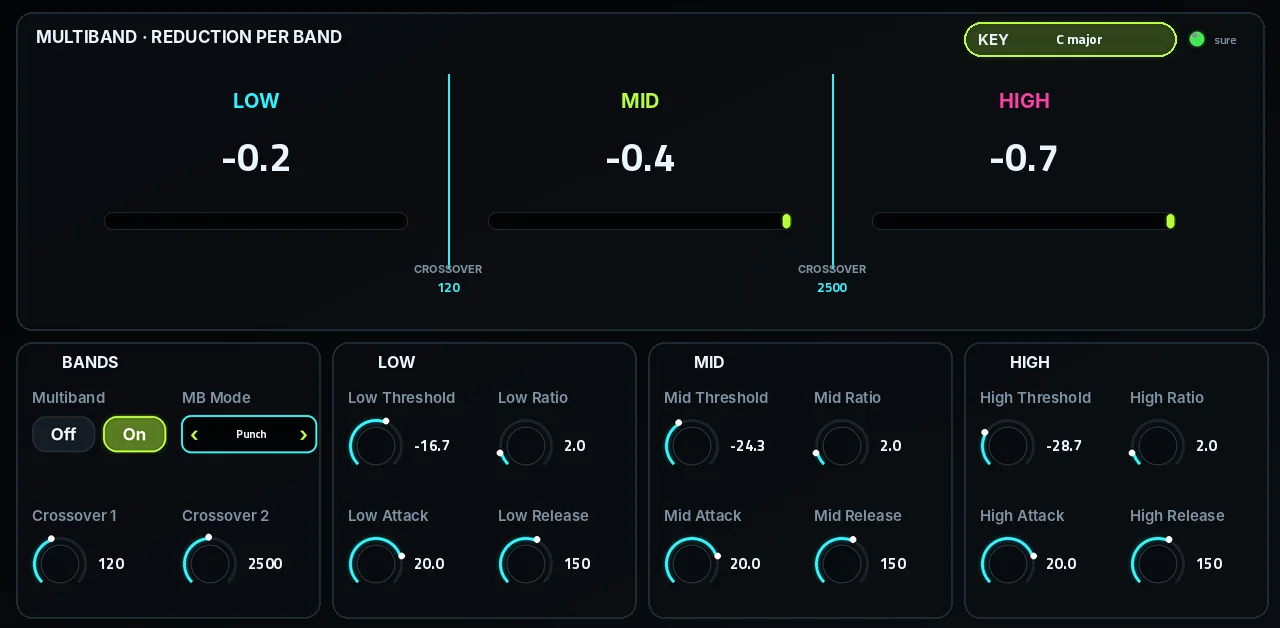 12345
O que vê
- 1 REDUCTION PER BAND How much LOW, MID and HIGH are being compressed right now, with the two crossover frequencies.
- 2 BANDS Multiband On / Off. MB Mode: Soft, Punch, Glue (ready-made timing) or Manual (your knobs). Crossover 1 (40-500 Hz), Crossover 2 (0.8-8 kHz).
- 3 LOW Low Threshold, Low Ratio, Low Attack, Low Release.
- 4 MID Mid Threshold, Mid Ratio, Mid Attack, Mid Release.
- 5 HIGH High Threshold, High Ratio, High Attack, High Release.
Para que serve
Controls the low end, the body and the top separately, so a loud bass does not squash the vocals.
Dica
Bass hiding the kick? MB Mode Punch, then lower Low Threshold by 2 or 3 dB.
MB GAIN
Level of each band after compression.
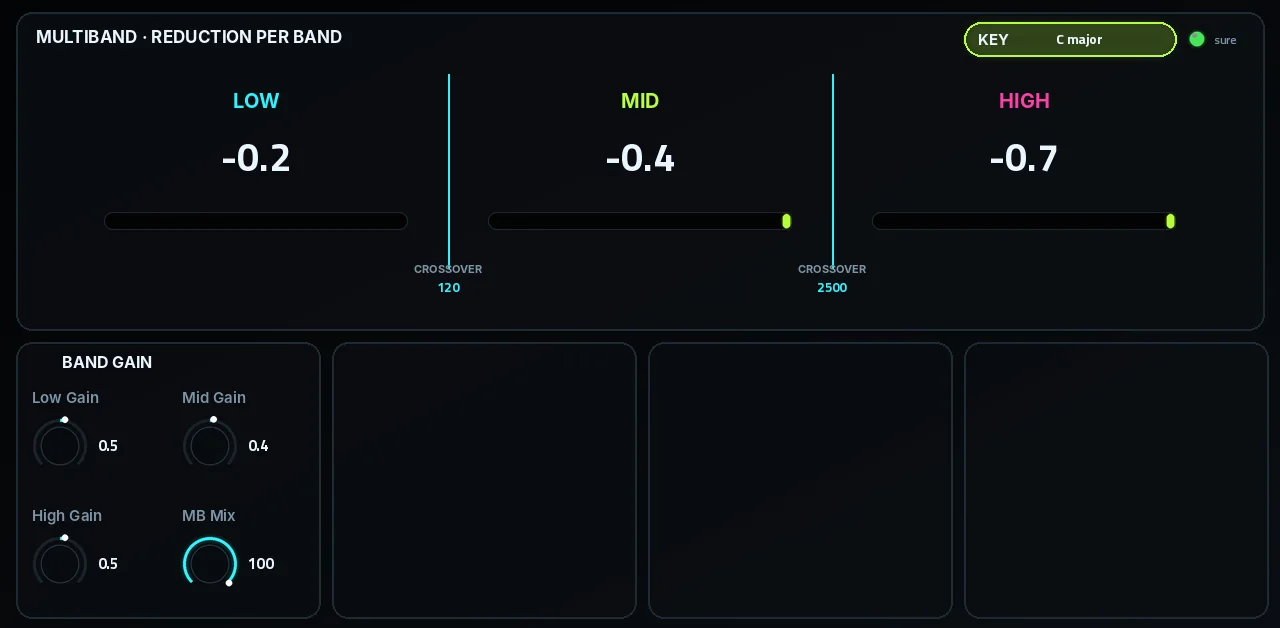 12
O que vê
- 1 REDUCTION PER BAND The same live view of the three bands.
- 2 BAND GAIN Low Gain, Mid Gain, High Gain (±6 dB, after compression) and MB Mix (blend with the uncompressed signal).
Para que serve
Rebalance the bands after compression, and set how much of the multiband you hear.
Dica
Too controlled? Bring MB Mix down to 60-70 %: you keep the control and get the life back.
COLOR
Warmth and stereo width, band by band.
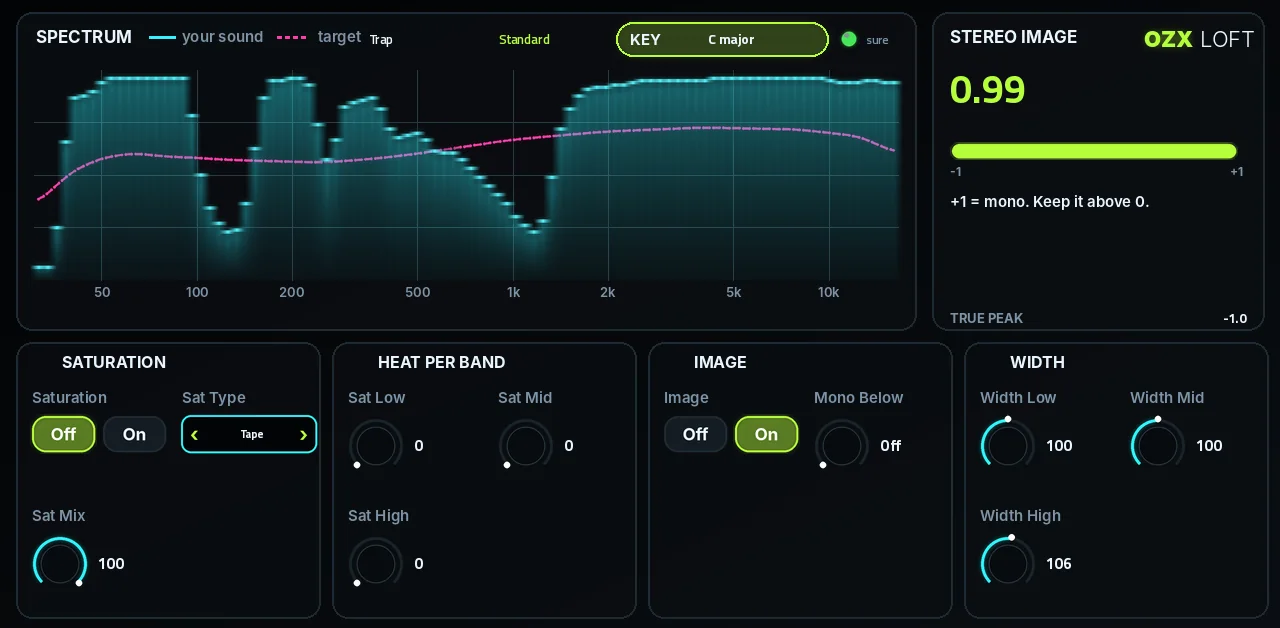 123456
O que vê
- 1 SPECTRUM Your sound against the style target.
- 2 STEREO IMAGE Correlation from -1 to +1. +1 = mono. Keep it above 0.
- 3 SATURATION On / Off, Sat Type: Tape, Tube or Transistor, and Sat Mix.
- 4 HEAT PER BAND How much saturation in each band: Sat Low, Sat Mid, Sat High (0-100 %).
- 5 IMAGE Image On / Off and Mono Below (Off, or up to 300 Hz).
- 6 WIDTH Width Low, Width Mid, Width High (0-200 %, 100 % = unchanged).
Para que serve
Adds colour and space. Saturation and width work inside the three bands, so the lows stay solid.
Dica
Warmth without mud: Tape, Sat Mid 20-30 %, Sat Low at 0. Keep Width Low at 100 % or below.
LIMITER
The last stage: loud, and never over the ceiling.
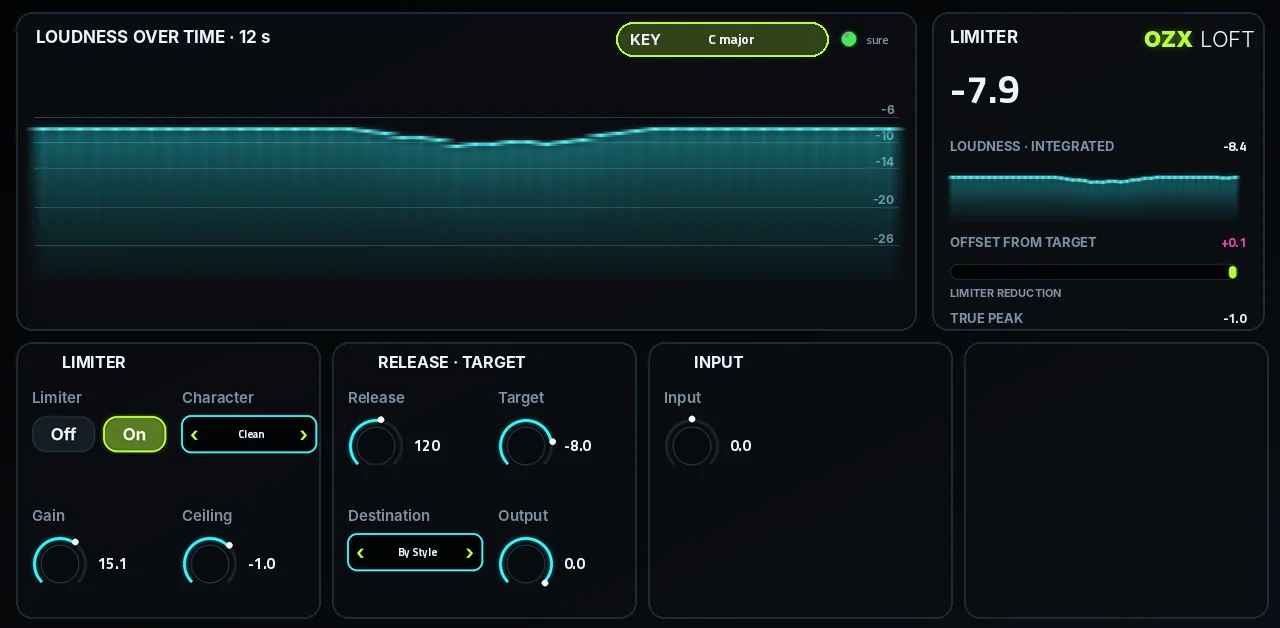 12345
O que vê
- 1 LOUDNESS OVER TIME Short-term loudness over the last 12 s, with a grid from -6 to -26 LUFS.
- 2 LIMITER Short-term loudness, integrated loudness, OFFSET FROM TARGET, limiter reduction and true peak.
- 3 LIMITER On / Off, Character (Clean, Punch, Loud, Soft), Gain (how hard you drive it), Ceiling.
- 4 RELEASE · TARGET Release (10-1000 ms), Target, Destination and Output.
- 5 INPUT Input level into OZX (±12 dB).
Para que serve
A true-peak limiter with 1.5 ms look-ahead. The Assistant sets Gain to reach your target; here you check and adjust.
Dica
Watch OFFSET FROM TARGET. If Gain goes past 12 dB, your mix is very quiet: raise it on the tracks rather than in the limiter.
Pick it by name.
Touch a list field: the choices open big on the screen. Touch one and the list closes. The Q-Link knob and the data wheel also step through the choices.
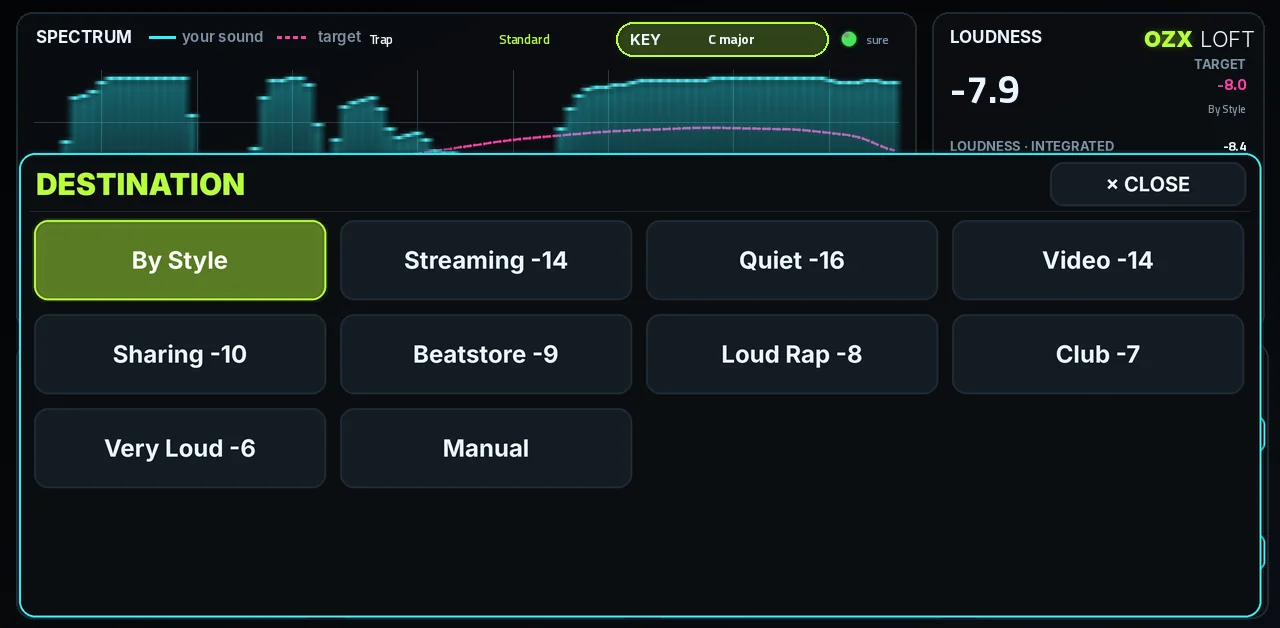
Destination
Ten loudness destinations: By Style, Streaming -14, Quiet -16, Video -14, Sharing -10, Beatstore -9, Loud Rap -8, Club -7, Very Loud -6, Manual.
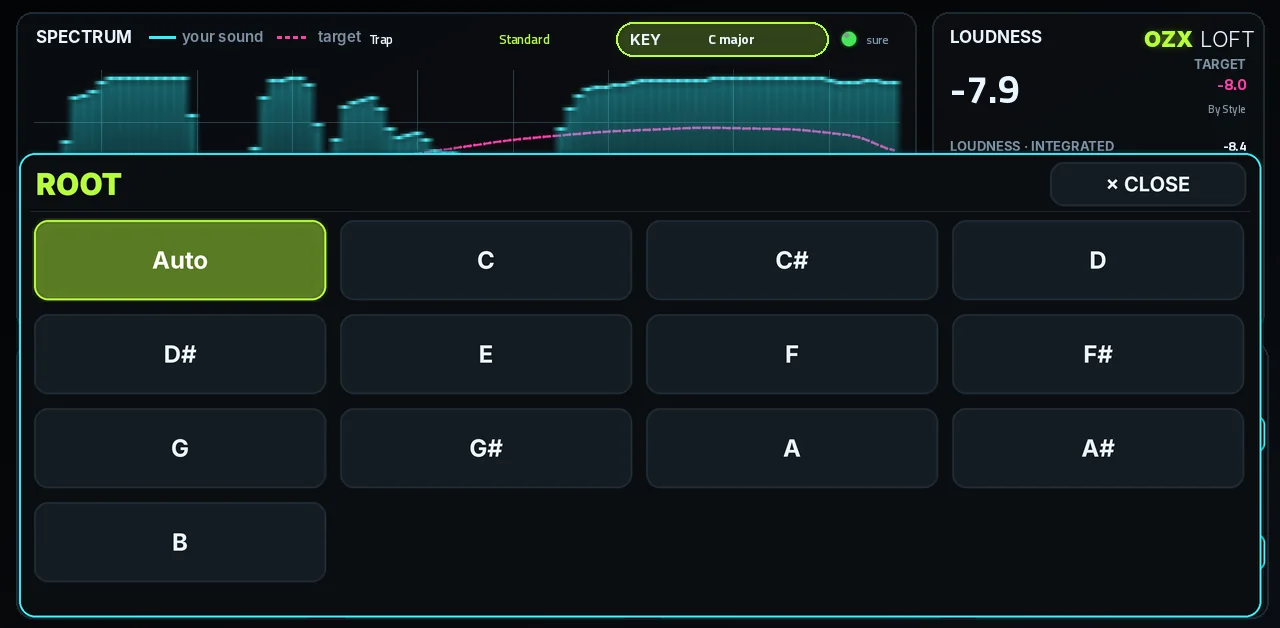
Root
Auto, or any of the 12 notes.
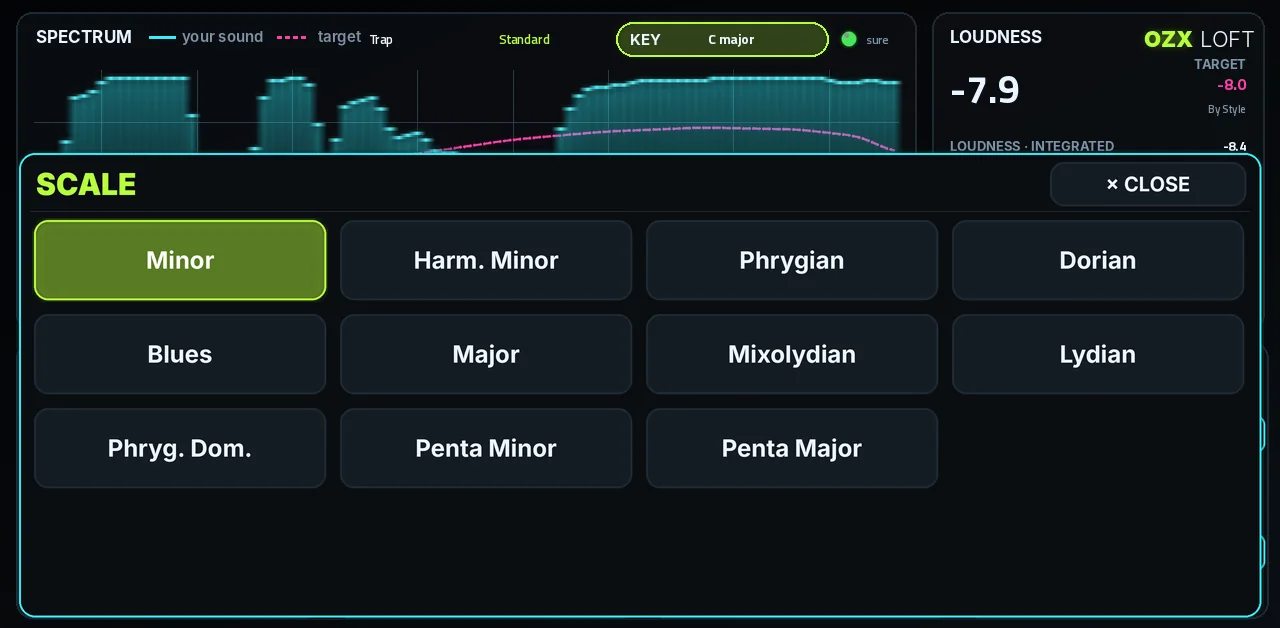
Scale
11 scales: Minor, Harm. Minor, Phrygian, Dorian, Blues, Major, Mixolydian, Lydian, Phryg. Dom., Penta Minor, Penta Major.
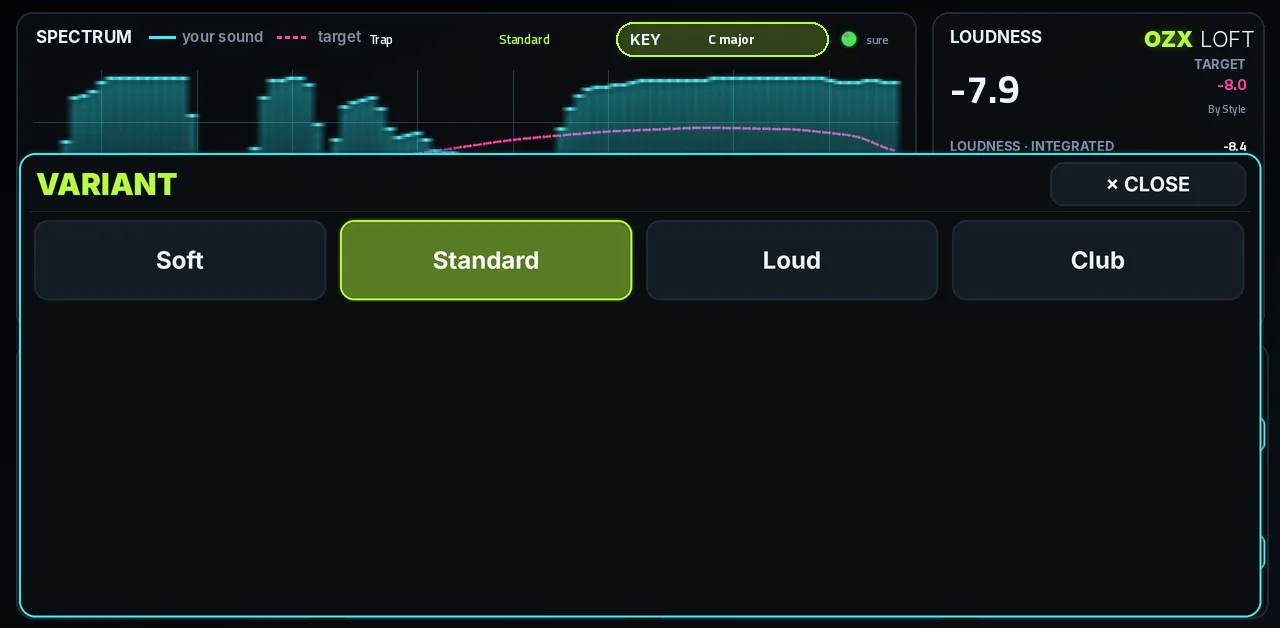
Variant
Soft, Standard, Loud, Club: four intensities of the same style.
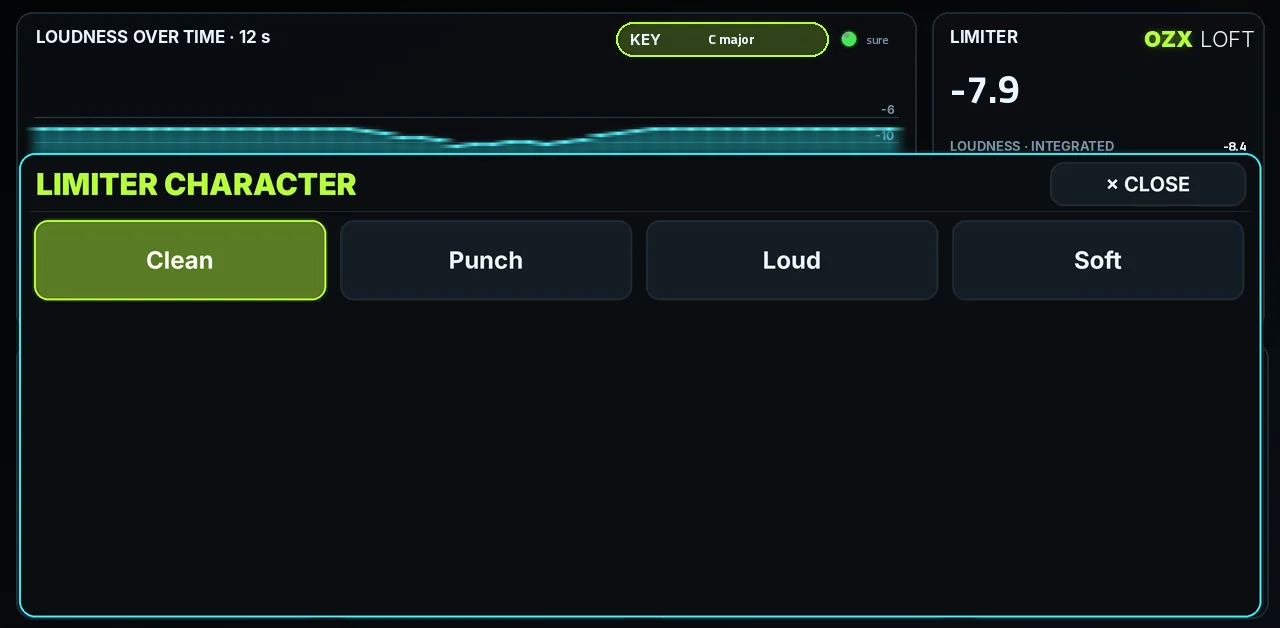
Character
Limiter flavour: Clean, Punch, Loud, Soft.
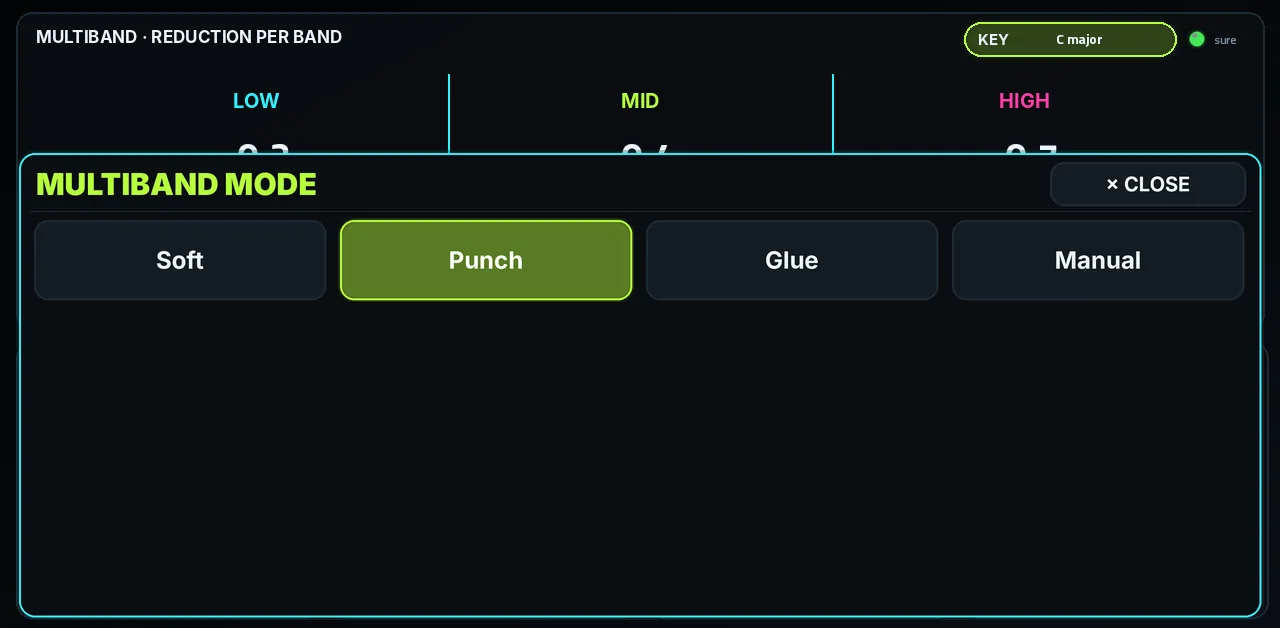
MB Mode
Soft, Punch, Glue or Manual.
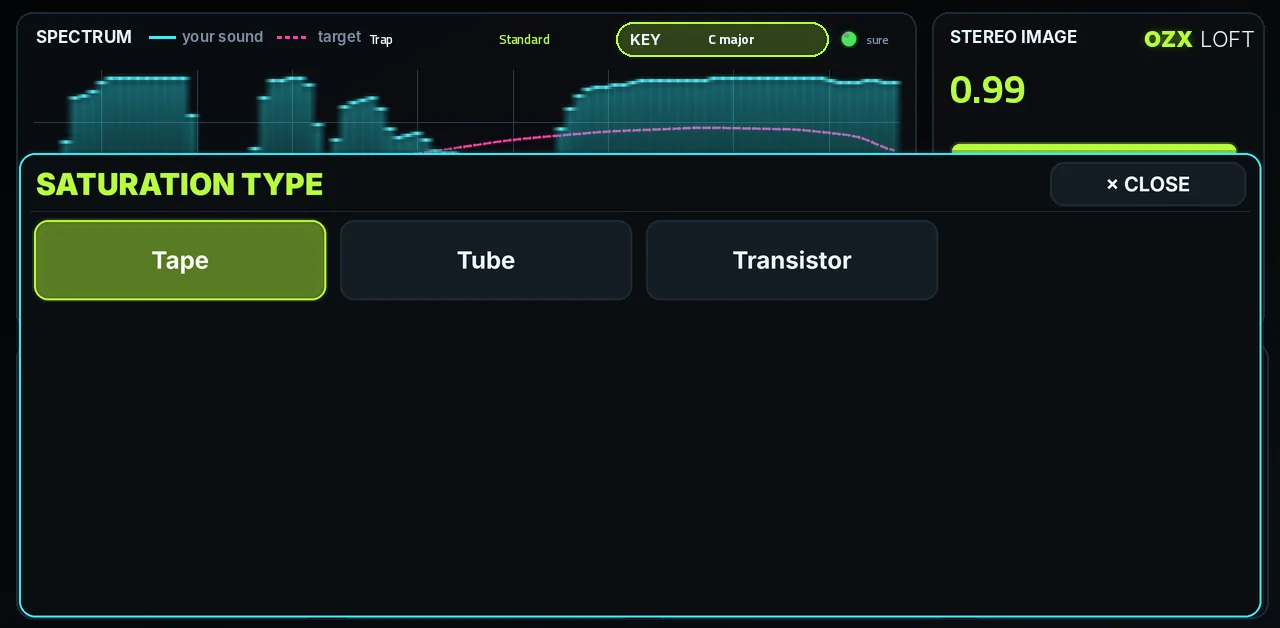
Sat Type
Tape, Tube, Transistor.
317 presets. 79 styles × 4.
Every style comes in four variants, plus INIT Neutral as a clean start.
Files in the Presets folder are numbered by style, for example 002-Boom bap 90-Soft or 031-Trap-Standard. Each preset is tuned for a mix around -14 LUFS with peaks near -6 dBFS; the Assistant then fits it to your real beat.
OZX Loft in short.
A complete mastering chain for the MPC master track, with an Assistant that listens to your beat and sets it up for you.
For who, for what
- Beatmakers who want a loud, clean beat to sell or share, straight from the MPC.
- Producers finishing hip-hop, electronic and pop tracks without leaving the machine.
- Live sets: one effect on the master, with the same loudness target for every song.
Strengths
- An Assistant that measures your beat and sets EQ, dynamics and loudness, with UNDO.
- Advice that separates what OZX fixes from what you should fix on the tracks.
- EQ that follows the key of your beat.
- True-peak limiter: never over the ceiling you choose.
- Compare at the same perceived loudness.
- 79 styles with their own tone target, 10 loudness destinations.
Numbers
Get started in 3 steps
Licence
One purchase for up to 2 MPCs. Activation: see the last pages.
Licença e ativação
Seu em três passos.
Compre
Pague uma vez neste site. O seu link pessoal chega por e-mail e continua válido.
Instala o Loft Hub
MPC OS 3.10.1 ou posterior, com Enhancements e External Plugin Support ativados nas Preferences. Copia o Loft Hub uma vez para o disco da MPC.
Liga e toca
No Loft Hub, aceita, liga a tua MPC e os plugins instalam-se sozinhos. Funciona em duas MPC. É só isso.
LICENCE
Your licence, and the code of your MPC.
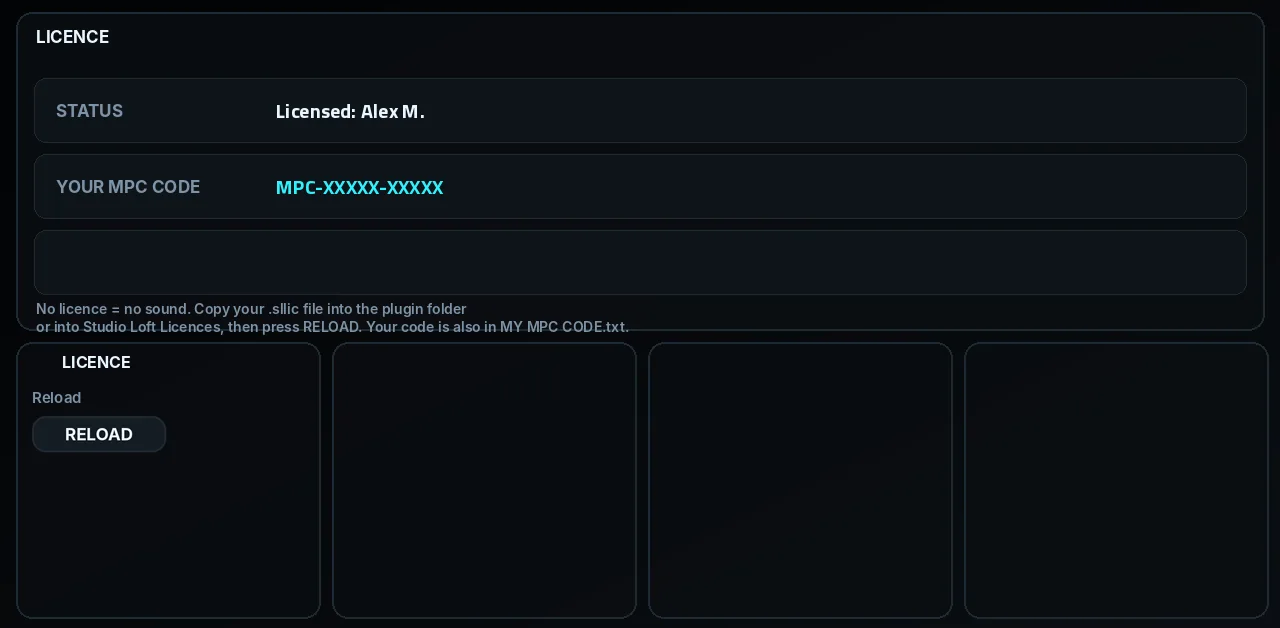 123
O que vê
- 1 STATUS Licensed (with the name on the licence), or no licence found.
- 2 YOUR MPC CODE The code you give on loftplugins.ch to get your licence file. It is also written in the file MY MPC CODE.txt on your drive.
- 3 RELOAD Reads the licence files again, after you copy a new one.
Para que serve
Activation, in one page. Without a valid licence OZX stays silent.
Dica
Copy the .sllic file into the OZX Loft folder or into the Studio Loft Licences folder, then press RELOAD. No restart needed.
Activate in 3 steps
Your code
Open F6, page 2 (LICENCE), or the file MY MPC CODE.txt on your drive.
Your file
Buy OZX Loft on loftplugins.ch and give your MPC code: you get a .sllic licence file by e-mail.
RELOAD
Copy it into the OZX Loft folder or the Studio Loft Licences folder, then press RELOAD.
One purchase covers up to 2 MPCs. Checked on the machine: no internet needed. If OZX is silent, a pink line on the MAIN page tells you why and sends you here.
Seu
OZX Loft
Masterização na pista master, com um assistente de estilo.
Um só pagamento, seu para sempre. A sua licença funciona em duas MPC.
Credits
Font: Inter (SIL Open Font License 1.1). Licence check: Monocypher (CC0 / BSD-2). Built with the official MPC plugin SDK (MIT licence). No recorded sounds. Full texts in the Licences folder.